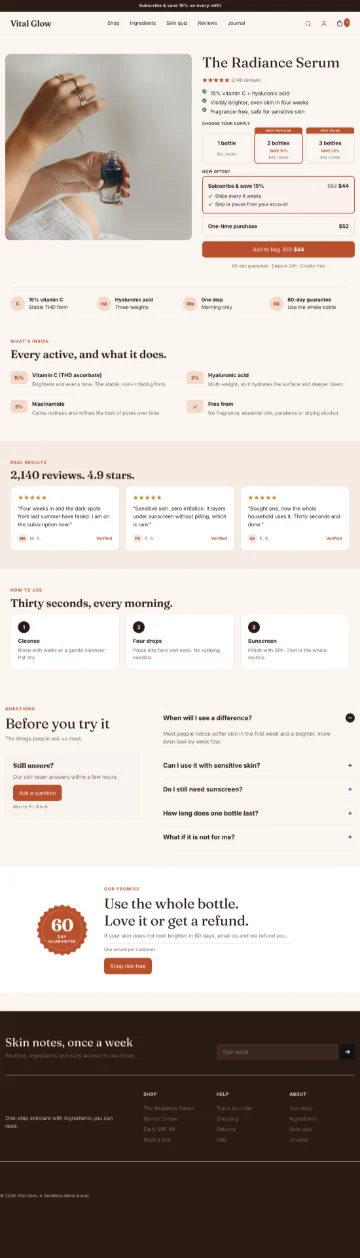









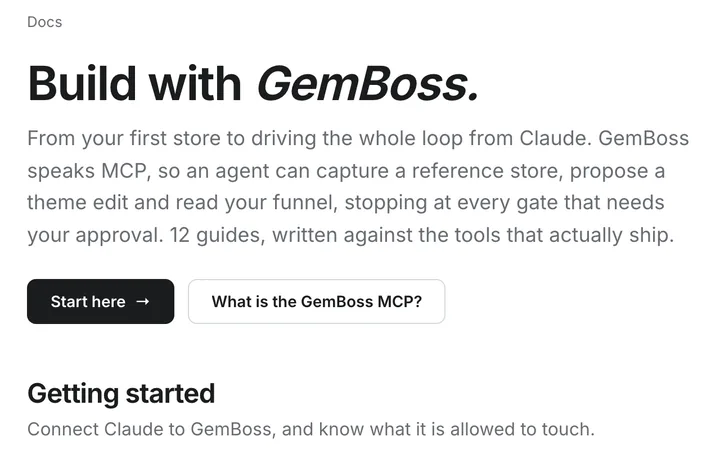
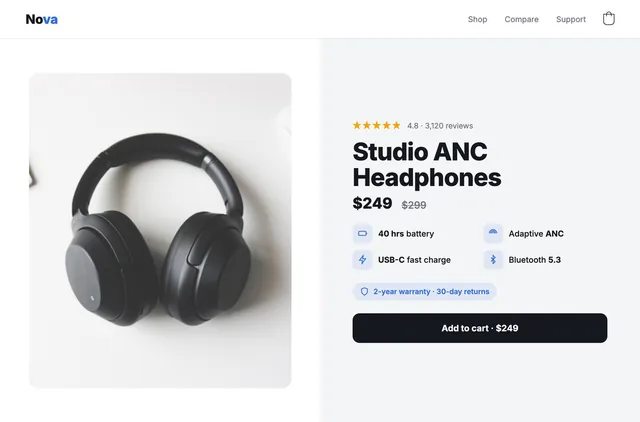
 Shop the gift
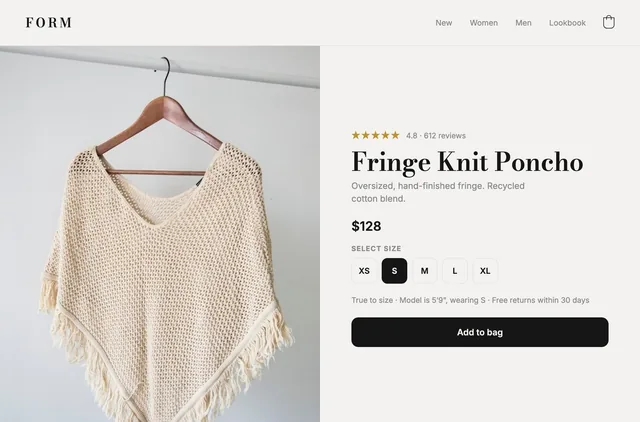
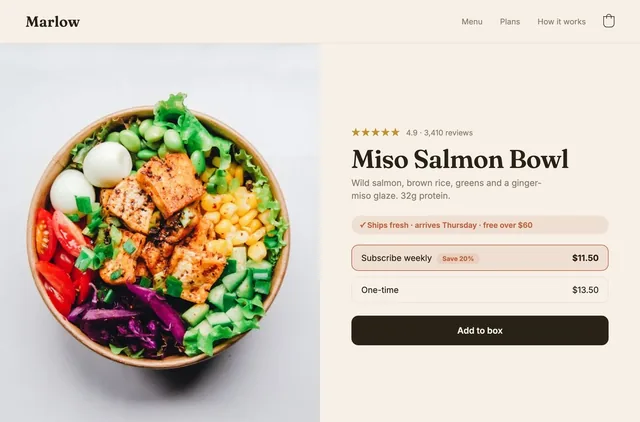
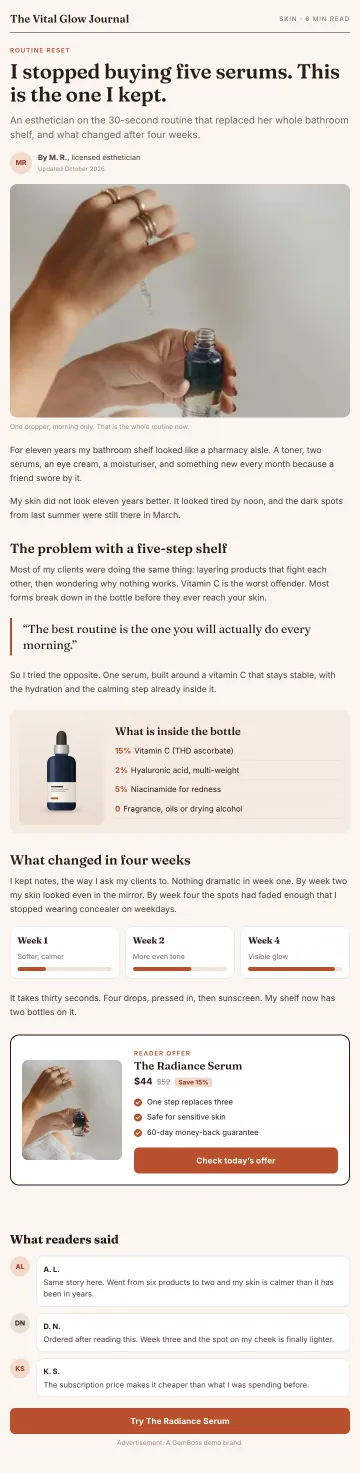


What is a headless store builder, and who needs one?
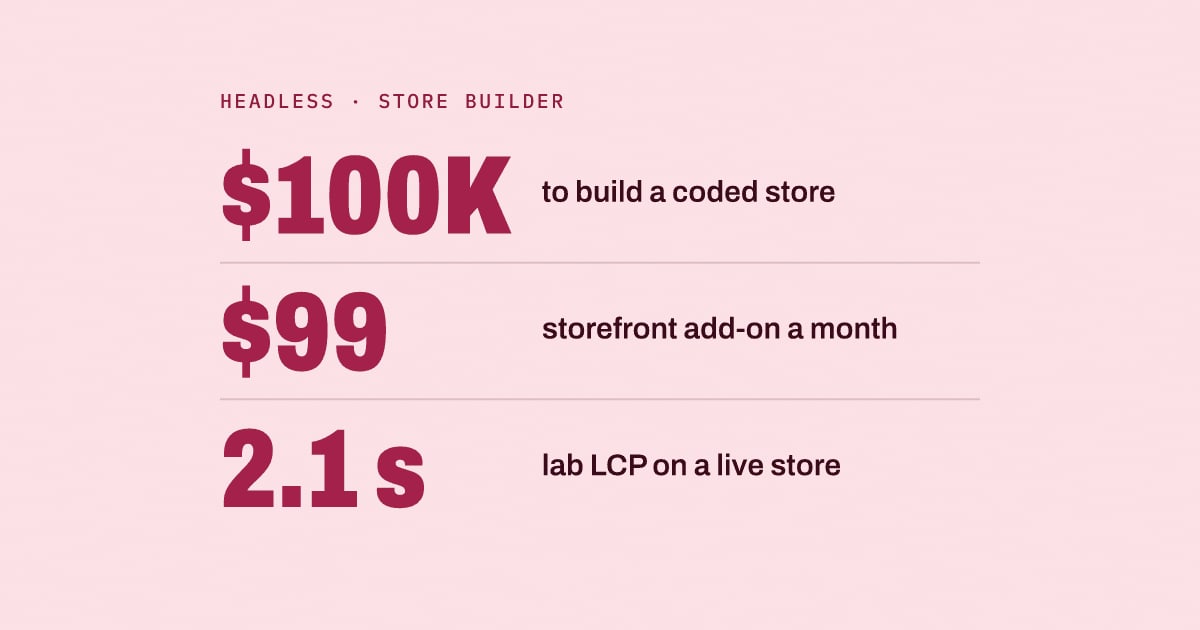
Shopify lists 5 cases for headless and says it "costs more to build and run than a theme." You need one only when a theme can't do what you need.
Updated October 2026: the who-needs-one test now follows Shopify's own guidance, with sourced costs and a measured speed. We added a count of the pages AI answers cite and corrected our description of GemBoss.
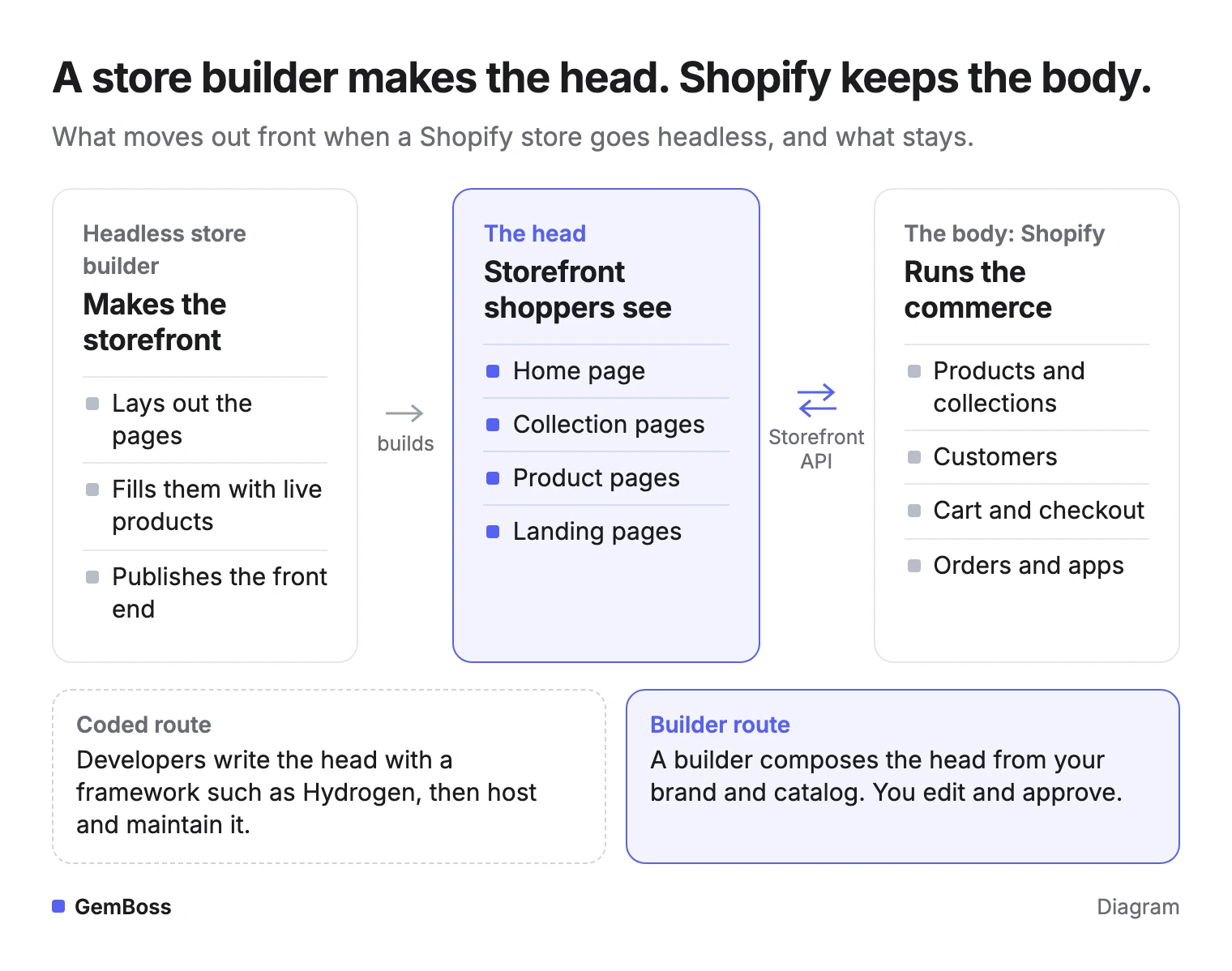
Look at where the line falls: the builder makes everything shoppers see, and Shopify keeps the rest.
Quick answer
- Headless splits the storefront from the commerce engine. Shopify keeps the catalog, cart and checkout.
- A headless store builder makes the storefront. A headless CMS only stores and serves content.
- Go headless when Shopify's themes, apps and sales channels cannot do what you need, and the extra cost is worth it.
- Judge speed on field data, because lab scores alone cannot pass Core Web Vitals.
When we asked Gemini this question on October 26, 2026, it cited eight sources, and we could read seven. Six are about a headless CMS and only two mention Shopify. None prices a headless storefront on Shopify or reports a speed measured on a live store.
What is a headless store?
A headless store is an online store whose storefront runs as its own application, apart from the commerce system behind it. Shopify's developer documentation defines headless commerce as separating a storefront's front end from its back end. Shopify still supplies the products, collections and customers, plus the cart, checkout and international pricing.
In a standard Shopify store, a Liquid theme draws every page. In a headless store, the front end runs on its own framework and hosting, and asks Shopify for data through APIs. The Storefront API serves products, search and the cart, while the Customer Account API handles sign-in, orders and profiles.
The head does not even have to be a website.
What is a headless store builder, and who needs one?
A headless store builder is a tool that lays out, stocks and publishes the storefront of a headless store without hand-coding. It places your live products on each page and leaves checkout to the commerce backend. Brands need one when a theme can't deliver the storefront they want and they won't hand-code a replacement.
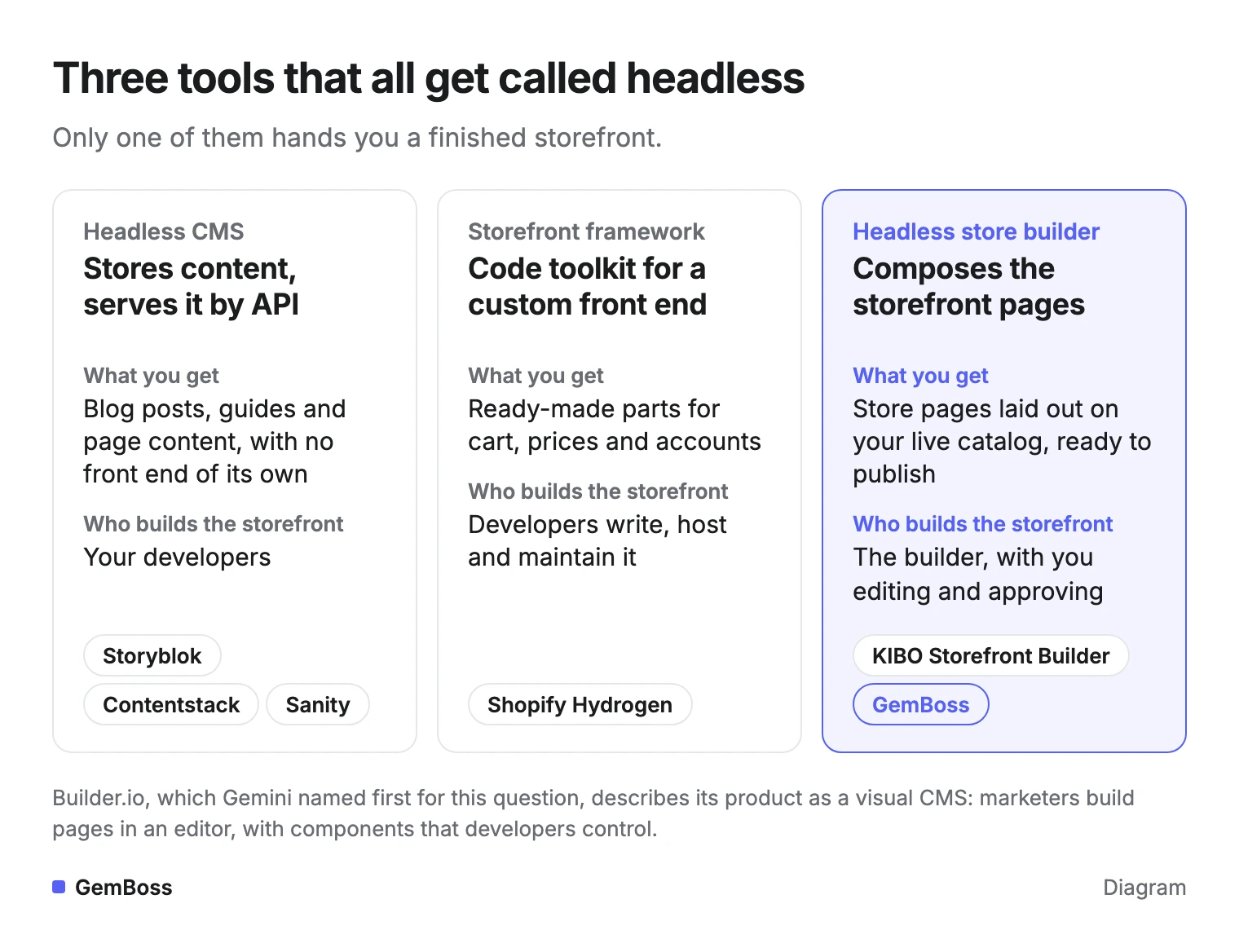
Two other tools also carry the word headless, and the three are easy to mix up.
Compare who builds the storefront in each column:
Headless CMS vs store builder
A headless CMS is the easiest to confuse with a store builder. Builder.io's guide describes it as a back-end-only system that stores content and delivers it through APIs, with no front end of its own. Developers still build the storefront that displays it.
Your Next Store's guide draws the same line for commerce. Headless commerce splits the storefront from products, cart and checkout, while a headless CMS splits it from content such as guides and landing-page copy. The guide adds that most serious ecommerce stacks in 2026 run both, feeding one front end.
Six of the seven pages Gemini cited for this question are about a headless CMS.
Storefront framework vs store builder
A storefront framework sits one step closer to a store. Shopify's Hydrogen site offers maintained parts for carts, money, markets, Shop Pay and accounts, and developers write the rest. Its code examples cover React Router, Next.js, Nuxt, SvelteKit, Astro and SolidStart.
The cart example on the Hydrogen site shows where Shopify's parts end and the developer's code begins.
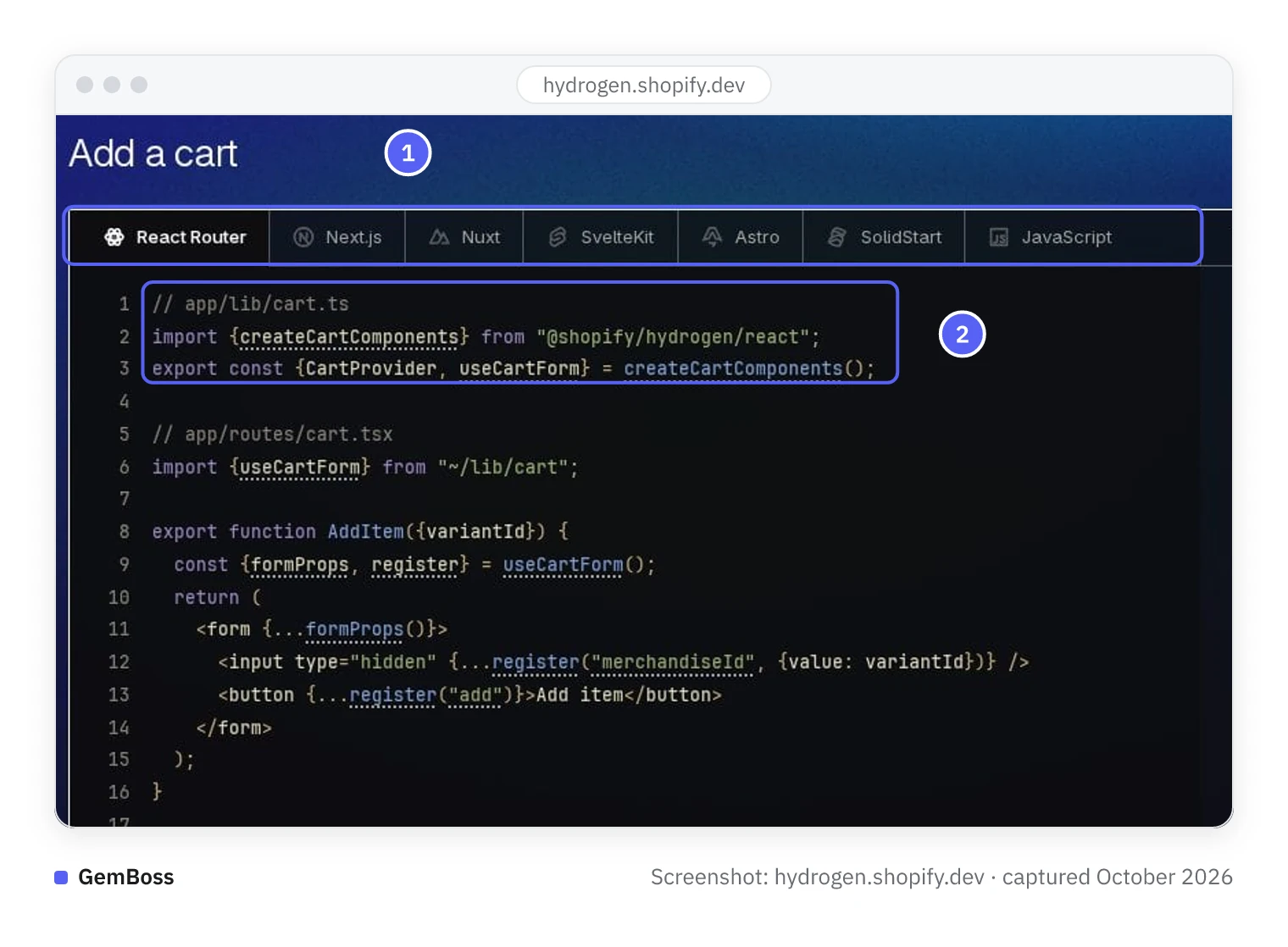
- One tab per framework, plus a JavaScript tab.
- The cart parts come from Shopify's package; the form around them is code a developer writes and maintains.
A store builder is the third kind. KIBO sells a Storefront Builder for its own commerce platform, with drag-and-drop layouts that pull live prices and stock. On Shopify, a no-code builder composes the pages for you and leaves checkout where it is.
In a dev.to post, Yoav Ganbar describes Builder.io as a visual CMS built on developers' components.
When does Shopify say a store should go headless?
Shopify says to consider headless when your systems, processes or customer experience can't be achieved with its sales channels, themes and apps. Its documentation then lists five cases:
- A storefront experience that existing web or mobile tools can't support, or can't support easily.
- A web front end built on a stack that doesn't use Liquid.
- Shopify commerce added to infrastructure you already run.
- Selling on channels Shopify doesn't support out of the box.
- Using a CMS for content that is integrated with the storefront.
Run the test in order, and stop at the first answer that says stay on a theme:
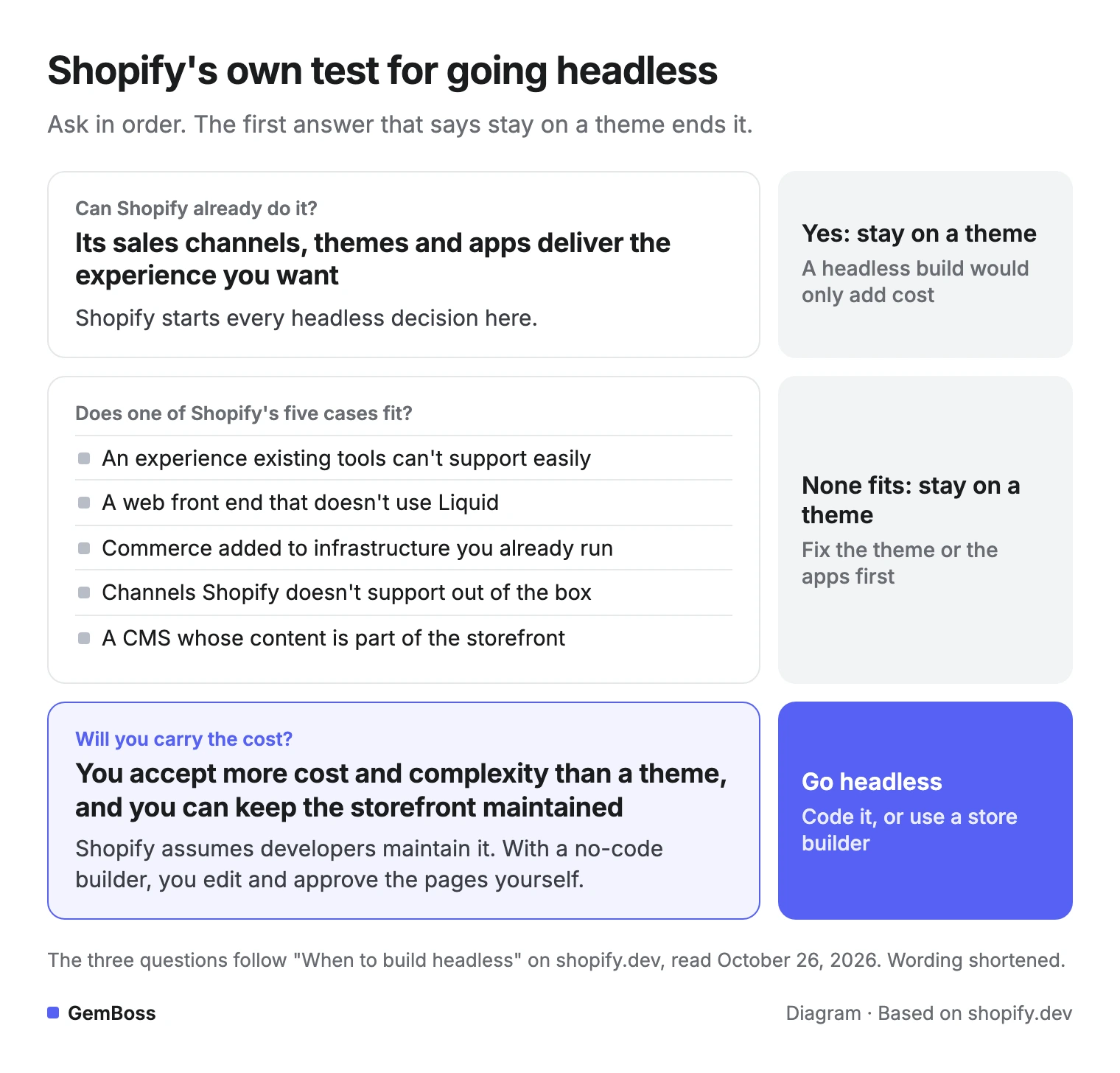
The last question is Shopify's cost condition. The merchant must accept the added cost and complexity, and have developers to maintain the storefront after launch. A no-code builder changes who does that upkeep, and a subscription replaces the build bill.
Which brands fit a headless store builder?
A headless store builder fits brands that need a storefront a theme can't produce but have no team to code one. Shero Commerce's reasons to go headless point to two kinds of store, and a builder adds a third:
- Brands whose storefront is part of the product, such as premium labels or products that need a configurator.
- Brands that publish a lot of content across the web store, an app and other screens.
- Brands that want those things without hiring developers, which is where a no-code builder differs from Hydrogen.
Everyone else is usually better served by a good theme.
Who should skip a headless store builder?
Stores whose theme already does what they need should skip a headless store builder.
Ben Paine wrote on X in September 2026: "Im not sure headless shopify is the way to go anymore. Making an exceptional theme was the move for Graphite TFA."
His post credits an easy developer experience and not having to juggle more than one CMS. Shero Commerce says that in its experience, headless Shopify is only worth it above $20M in annual revenue or with very specific customization needs.
Is headless Shopify worth it?
Headless Shopify is worth it when one specific experience your theme cannot deliver is worth more than the extra cost to build and run it. Zoolatech's advice is to diagnose the bottleneck first, because headless fixes a slow or dated storefront and leaves the backend as it is.
ZAGO Agency, a self-described Shopify Premier Partner, posted on LinkedIn in October 2026: "Shopify Hydrogen 2026-10 works with any JavaScript framework. That is a better reason to evaluate headless than a desire for a 'more premium' website." The same post says it is usually a weaker case for a theme store whose merchandisers depend on fast, independent edits.
Weigh both columns before you commit:
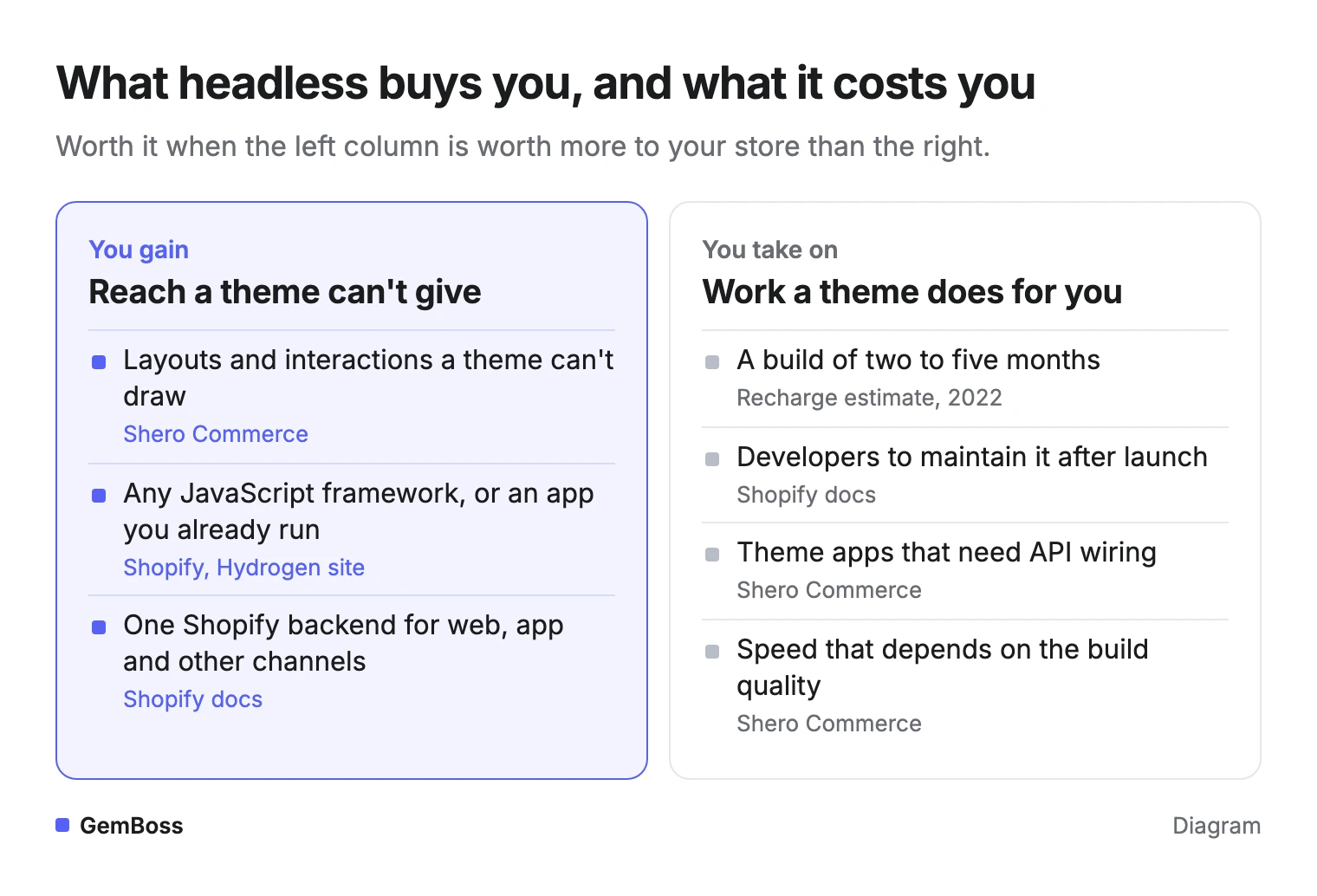
Speed can land on either side. Shero Commerce's comparison says a headless store can be faster if optimized properly, and that it depends on build quality. It also warns that many theme apps, such as pop-ups and review widgets, need custom API work.
ZAGO's post adds a practical test: before approving a rebuild, show evidence of what your current storefront prevents. ZAGO's template also asks what that gap costs you; compare that figure with what each route costs.
For the architecture side by side, read headless Shopify vs Liquid themes.
How much does it cost to build a headless Shopify store?
A custom headless Shopify store has been estimated at $100K to $500K to build and $100K to $150K a year to maintain. That range comes from Recharge's 2022 merchant guide, which also puts launch time at two to five months. A no-code builder replaces the build bill with a monthly fee.
Here are four routes, with published numbers only:
| Route | Who builds the storefront | Published cost | Best for |
|---|---|---|---|
| Coded storefront (Hydrogen or your own stack) | Your developers or an agency | $100K to $500K build, $100K to $150K a year upkeep (Recharge, 2022). Oxygen hosting for Hydrogen is free (Shopify) | Teams with engineers and a case a theme can't meet |
| Headless CMS plus a coded front end | Developers, with editors in the CMS | CMS plans in September 2026: Sanity Growth $15 per seat a month, Storyblok Growth $99, Contentful Lite $300 (Your Next Store), plus the front-end build | Content-heavy brands with a development team |
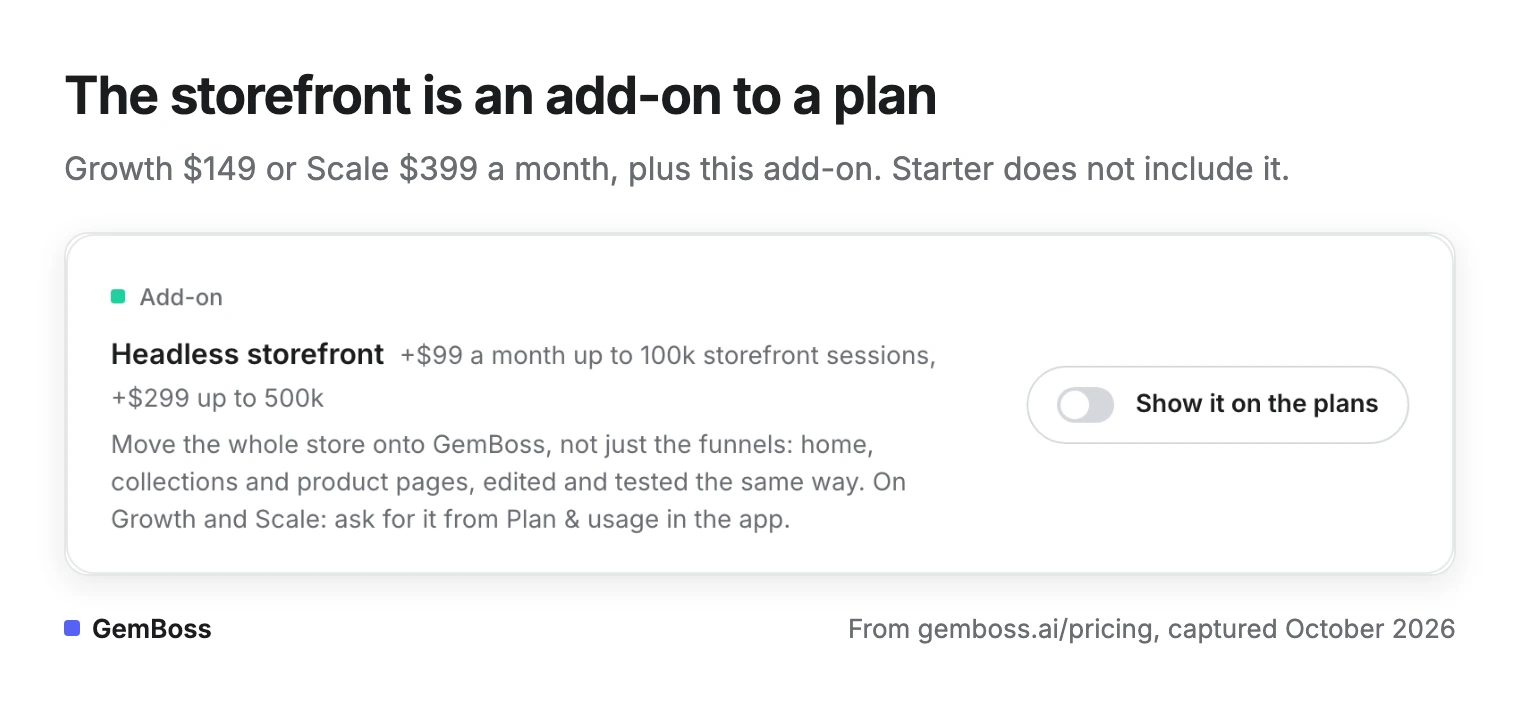
| No-code headless store builder (GemBoss) | The builder drafts pages, you edit and approve | $0 to build and preview. Growth $149 or Scale $399 a month, plus a storefront add-on of $99 (up to 100k storefront sessions) or $299 (up to 500k) | Brands that want headless without a development team |
| Stay on a Liquid theme | You, in Shopify's theme editor | No separate storefront bill | Stores a theme already serves |
On GemBoss the storefront is a subscription add-on, with two session tiers on the GemBoss pricing page:
Whichever route you pick, your Shopify plan bill stays on top. Free tiers exist on the CMS route too: Sanity's covers 20 seats and Storyblok's one seat.
Where the money goes on each route
Hydrogen changes the hosting line more than the build line. Shopify's Hydrogen site offers free hosting on Oxygen, with previews, caching, logs and rollbacks at no extra cost. So the developers are the main expense, even when a build ships inside a quarter, as Zoolatech says headless builds do.
The less visible costs sit around the build. Shero Commerce lists theme apps that need API integrations, and page-speed tuning that becomes your job. Recharge counts the switching time itself as a cost.
GemBoss's storefront add-on is not available on the $49 Starter plan, and Enterprise, from $999 a month, prices it as custom. Self-serve plans start with a 14-day free trial, and yearly billing takes 20% off. For a fuller budget, see what headless Shopify costs.
How fast is a headless storefront?
A headless storefront is as fast as its build, so measure it on real visits before you believe any claim. Google's web.dev says a page passes Core Web Vitals when all three metrics meet their targets at the 75th percentile of page loads. The targets are LCP of 2.5 seconds or less, INP of 200 milliseconds or less and CLS of 0.1 or less.
On its custom theme page, GemBoss publishes a live store's lab result: LCP 2.1 s, CLS 0.004 and time to first byte 0.05 s. It was measured on mobile with simulated 4G, as the median of 8 Lighthouse runs on October 10, 2026.
Set against Google's targets, the lab result looks like this:
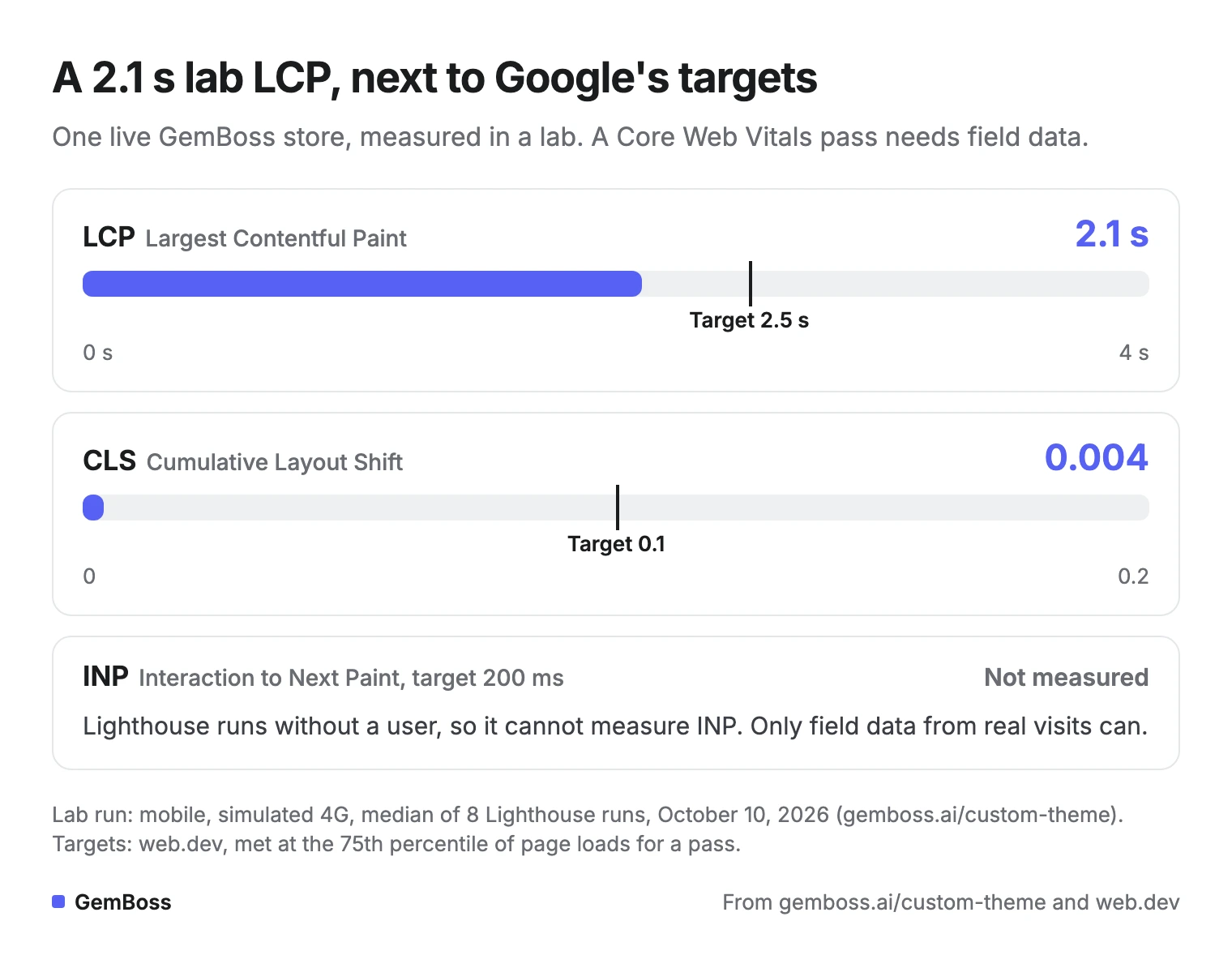
Those are lab numbers.
The web.dev guide warns: "While lab measurement is an essential part of delivering great experiences, it is not a substitute for field measurement." Lighthouse also cannot measure INP, because no user taps anything. So the 2.1 s sits under the LCP target without proving a Core Web Vitals pass.
Field data comes from real Chrome users, and web.dev names PageSpeed Insights and Search Console's Core Web Vitals report as tools that show it. Tenten's Builder.io tutorial lists LCP under 2.5 s and CLS under 0.1 as goals, and still lists FID, which web.dev says INP replaced in 2024. For how load time ties to sales, see how storefront speed affects conversion.
What should you check before switching a live store to headless?
Check that product URLs, cart links, apps and speed survive the move before any shopper sees the new storefront. Shopify's documentation covers the first two under routes.
- Keep product pages at /products/:handle, which Shopify calls the standard format, or add a server-side 3XX redirect from that path.
- Support cart permalinks. Hydrogen handles them for you; other stacks need a route for them.
- List every theme app you rely on. Shero Commerce warns that many need custom API work in a headless build.
- Record field Core Web Vitals for your current store first, so you can compare the same pages after the switch.
- Keep server-side rendering, meta tags and structured data in place, which Shero Commerce names as the SEO basics of a headless build.
- On a coded build, keep the private Storefront API token on the server. Shopify warns never to expose it in client-side code or a mobile app.
Run the first five checks on a builder too, since it replaces the storefront the same way.
What is an example of headless commerce?
Shopify's Hydrogen site features Lady Gaga, Manors Golf, Chubbies and Drake Related in its showcase of shopping experiences, without saying which parts of each store run on Hydrogen. Shero Commerce points to Victoria Beckham Beauty and Baboon to the Moon as headless Shopify stores. Recharge's 2022 guide listed Allbirds, Rothy's, Seedlip, Rachio and Yoga Girl as headless Shopify builds at the time.
Headless commerce also covers heads that are not websites.
Shopify's documentation lists five ways to build, from a full framework storefront to a buy button on another site:
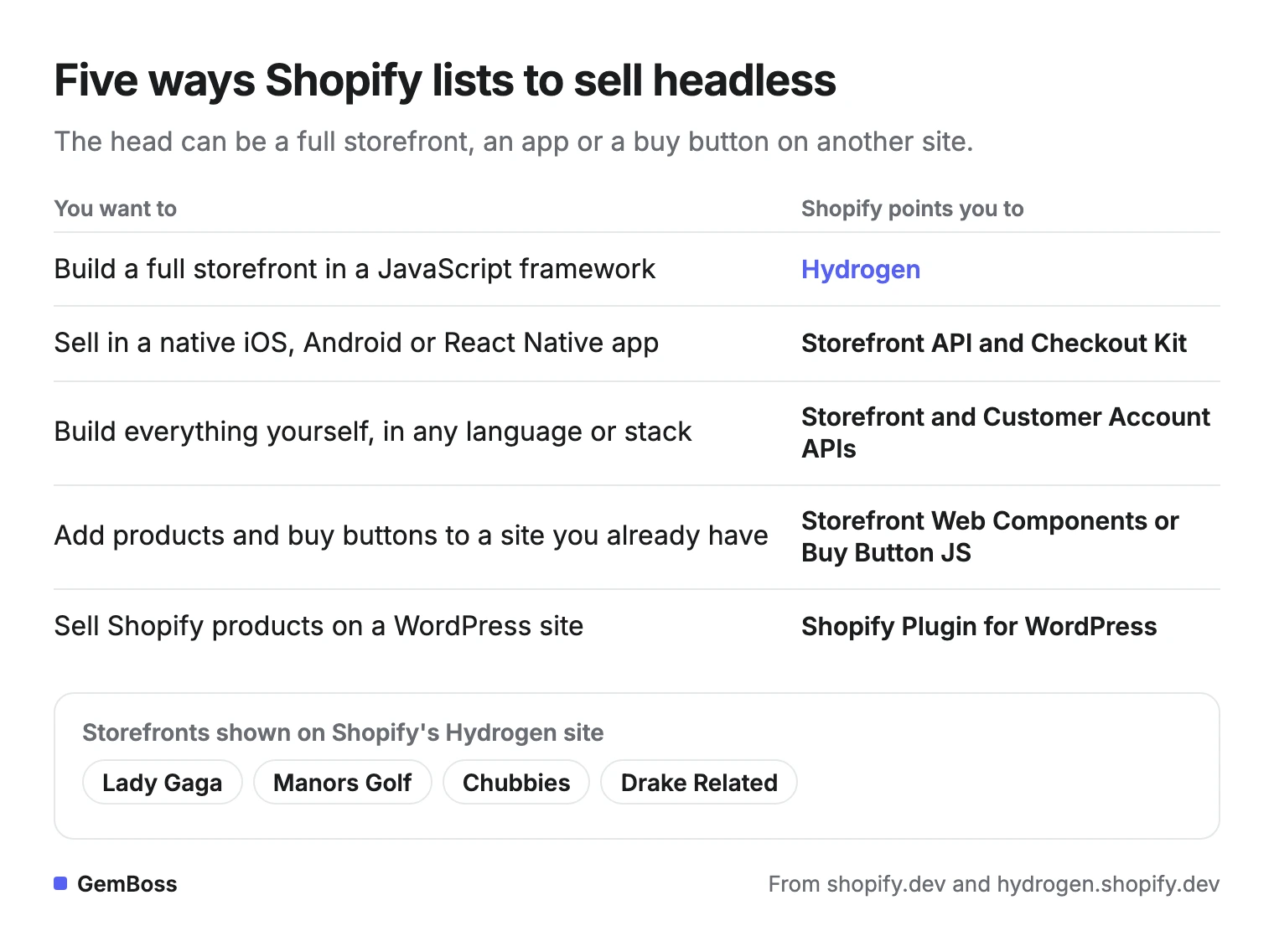
A mobile app can be a second head. The same catalog serves the website and the app, and Shopify points app builders to the Storefront API and Checkout Kit. To check whether a store you admire is headless, Shero suggests a detector such as BuiltWith, or searching its page source for Hydrogen or Oxygen.
What can Hydrogen do that a Liquid theme cannot?
Hydrogen lets developers build a storefront in a JavaScript framework, add Shopify commerce to an existing app, or reach channels a theme can't serve. Its site also lists WebMCP tools that let AI shopping agents search, choose variants, fill a cart and check out. ZAGO's post says that flexibility matters for a business with an established JavaScript experience that now needs commerce.
The trade runs both ways. Shero's comparison credits themes with plug-and-play apps and pages a marketing team can manage, and a headless build gives those up. Shero also notes that Shopify Markets made international expansion possible without a custom headless build.
If you want headless without writing Hydrogen code, compare Shopify Hydrogen alternatives.
What are the disadvantages of using a headless CMS?
The main disadvantage of a headless CMS is that it has no storefront of its own. Someone still has to build, host and preview the front end that shows its content.
Builder.io's guide names a second problem: "One major challenge of a typical headless CMS is the lack of a visual interface for finding and editing content." It names finding content, previewing it, bigger changes without engineers, and testing or personalizing content as the hard parts.
Here is what stays on your plate after you add one:
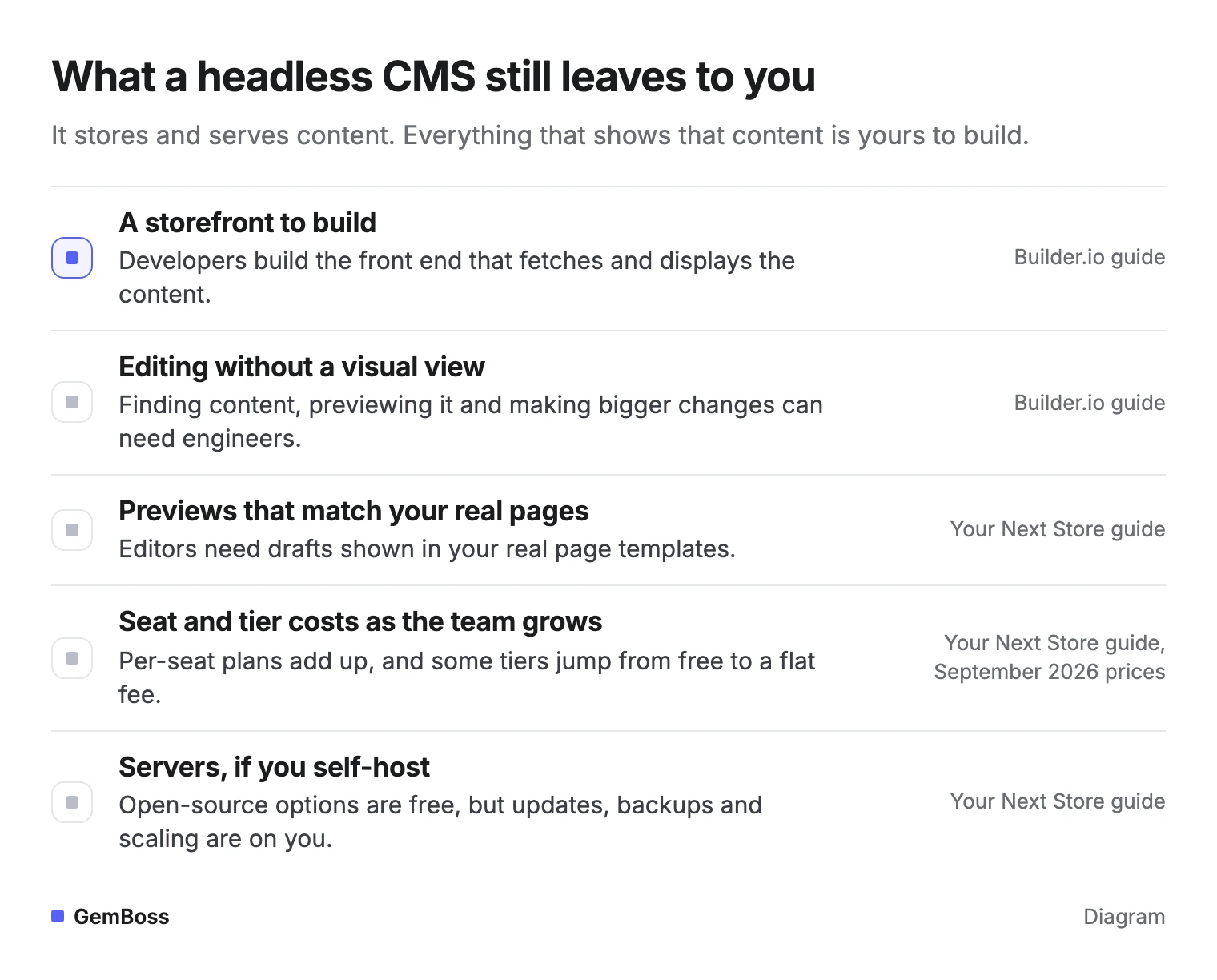
Cost is the other drawback. Your Next Store notes that per-seat pricing grows with each editor, and that Contentful jumps from a free tier to a flat $300 a month. Self-hosted options such as Strapi have no license fee, but updates, backups and scaling fall to you.
A second system also means a second place where content lives, the hassle Ben Paine's post cites.
Your Next Store's test before buying: ask someone who doesn't code to build a complete landing page in a staging copy of the site.
Do you need a headless CMS if your ecommerce platform already has a page builder?
You usually don't need a headless CMS if your platform's page builder already handles your pages.
Jakub Neander's guide for Your Next Store answers this exact question: "Only if you're outgrowing it." It names two signs: content your platform does not model well, such as structured buying guides, and marketers waiting on engineers for layout changes. Shopify's fifth headless case points the same way.
A headless CMS solves a content problem, while a store builder solves a storefront problem. If your theme's pages are the bottleneck, a page builder inside the theme may be enough, such as GemPages (GemPages is our sister product). For help choosing, see store builder, page builder or theme.
How we checked the pages AI answers cite
On October 26, 2026, we asked Gemini what is a headless store builder and who needs one. Its answer named Builder.io and Shopify Hydrogen and cited eight sources. We saved the text of seven; the eighth, a YouTube video, had no text we could read.
We marked each page against seven narrow criteria, searching the saved text for each one:
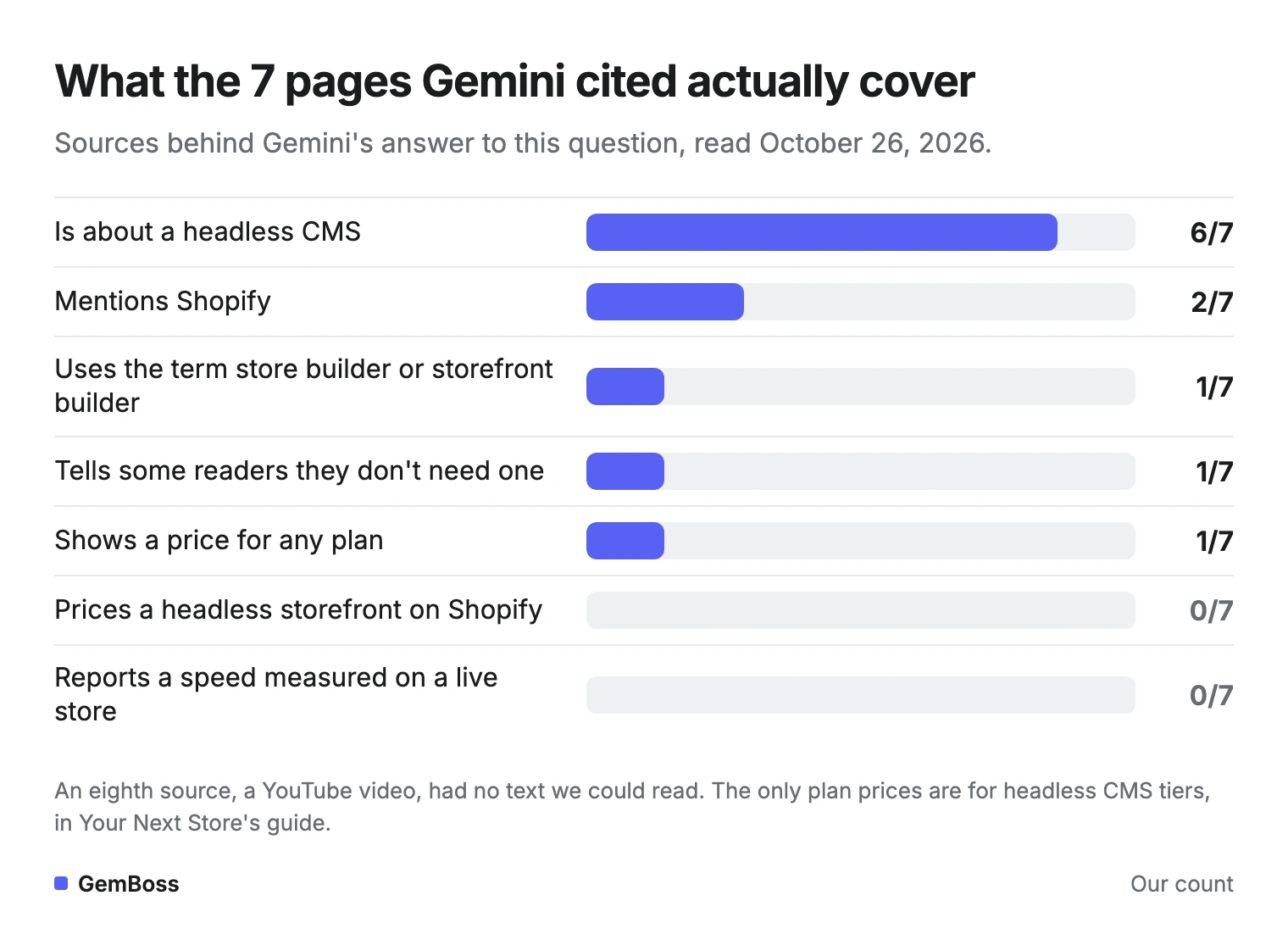
| Page | About a headless CMS | Mentions Shopify | Says who can skip it | Shows a plan price | Live-store speed |
|---|---|---|---|---|---|
| Builder.io, headless CMS visual guide (updated Sept 27, 2024) | Yes | No | No | No | No |
| Contentstack, 7 headless CMS platforms (Feb 9, 2026) | Yes | No | No | No | No |
| Builder.io on dev.to, visual headless CMS (July 17, 2023) | Yes | No | No | No | No |
| KIBO, CMS and Storefront Builder | Yes | No | No | No | No |
| Storyblok, homepage | Yes | No | No | No | No |
| Tenten, headless Shopify with Builder.io (Sept 4, 2025) | No | Yes | No | No | Targets only |
| Your Next Store, best headless CMS (Sept 22, 2026) | Yes | Yes | Yes | Yes, CMS plans | No |
About a headless CMS means the title or opening definition is about a CMS. Says who can skip it means a sentence telling some readers they don't need the tool.
Only KIBO used the term storefront builder.
Two near misses did not count as speed. Contentstack's 90% figure is about launching campaigns faster, and Storyblok's 50% figure is about content operations. Builder.io's comparison table calls a traditional CMS well-suited for simpler websites or blogs, which comes close to a who-can-skip line.
How GemBoss builds a headless storefront on Shopify
GemBoss is a no-code headless store builder that sits on top of the Shopify store you already run. You guide it in plain language, and its AI store builder works in four steps that you approve one by one.
- Describe your brand, or point it at a store you love.
- Connect your Shopify, with no migration and your real products.
- It composes home, collection, product and landing pages from 60 section types.
- You approve, it goes live, and the pages are then tested and personalized.
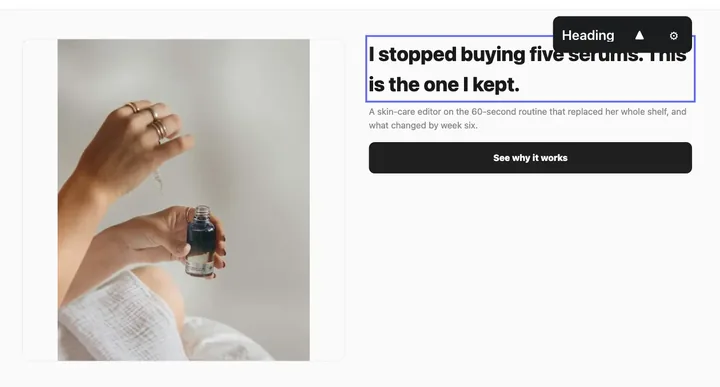
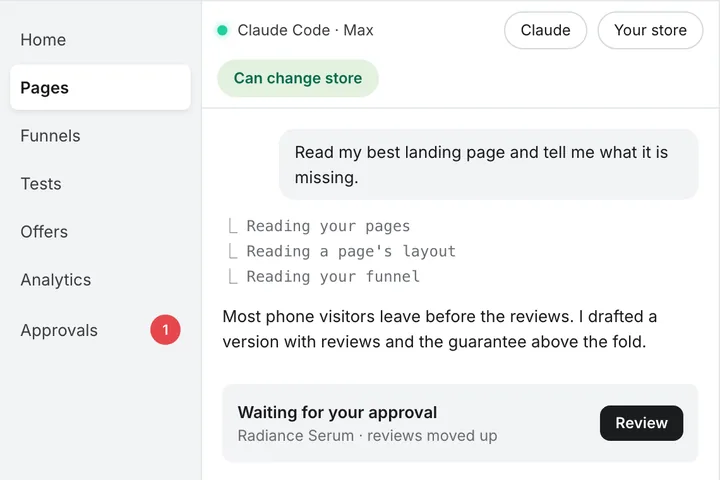
The approval step shows in the product itself; note the line under the draft:
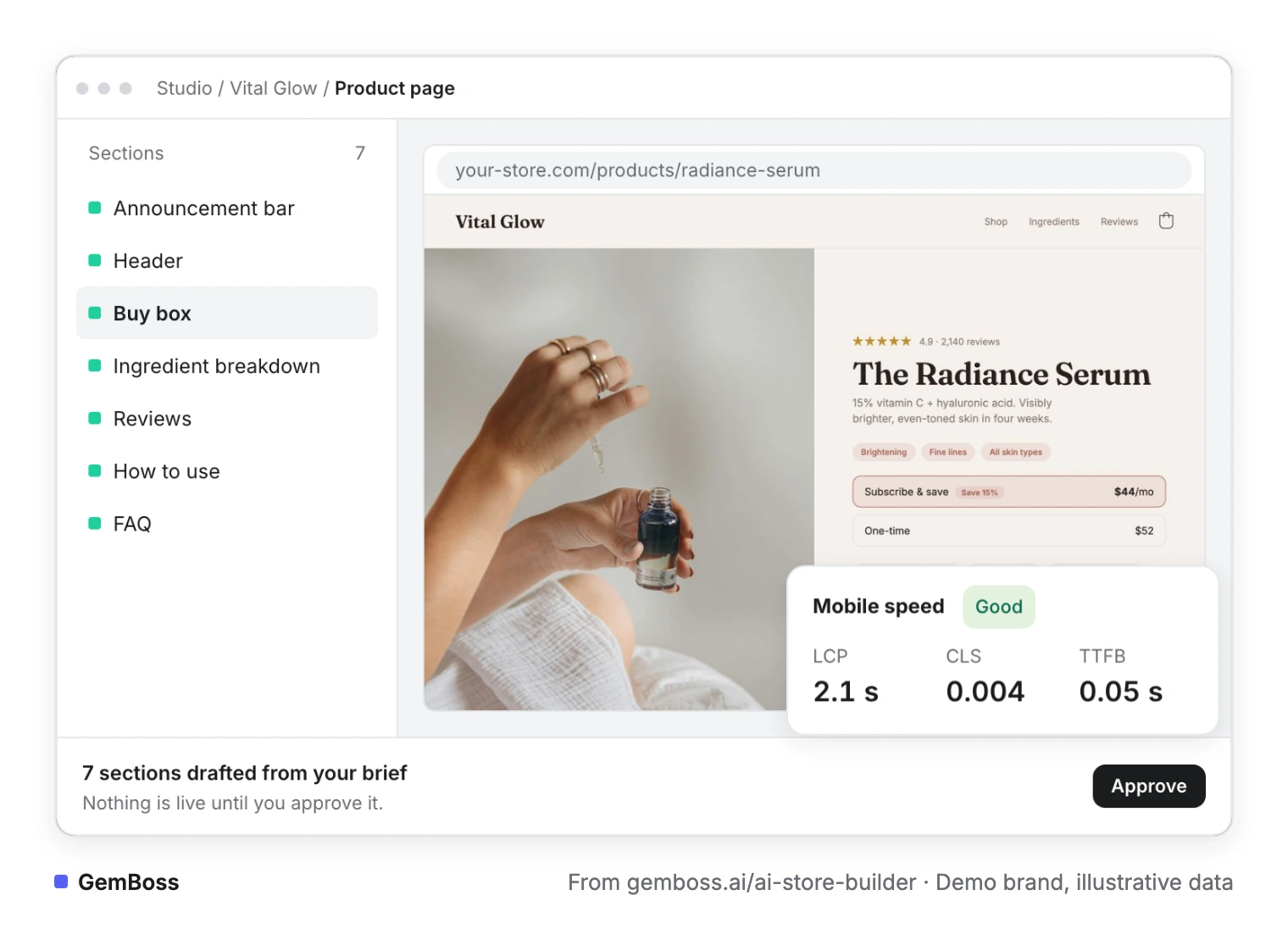
Catalog, checkout, orders and apps stay in Shopify.
Its custom theme renders headless, so there is no theme file to install and your Shopify theme stays as it is. Building and previewing costs $0 before you pick a plan. The conversion engine page adds that pages, tests and offers wait for a person, and a test result stays a recommendation until you promote it.
It does not fit every store: it does not create or run your ad campaigns, and the storefront add-on needs Growth or above. If you plan to stay in a Liquid theme, a page builder fits better, and teams with JavaScript developers may prefer Hydrogen. For the no-code path step by step, read going headless without a developer.
Frequently asked questions
Does going headless mean leaving Shopify?
No. Shopify keeps the products, customers, cart, checkout and international pricing, and the headless storefront reads them through the Storefront API. Shero Commerce notes that even in headless, most brands keep Shopify's checkout.
Do I need a developer to go headless on Shopify?
You need developers if you build with Hydrogen or your own stack. Shopify's documentation says a headless build needs developers to maintain the storefront after launch. A no-code store builder is the alternative: it composes the pages from your brand and catalog, and you edit and approve them without writing code.
Is Shopify Plus required to go headless?
No. Shero Commerce writes that you can go headless on lower Shopify plans, though most headless builds run on Plus. It credits Plus with higher API rate limits, checkout customization and Shopify Flow automation.
Is there a Shopify app for going headless?
Shopify's Headless channel, installed from the Shopify App Store, manages Storefront API tokens and permissions for storefronts you host yourself. The Hydrogen channel deploys Hydrogen storefronts to Oxygen. Neither one designs pages, so developers or a store builder still make the storefront.
What is the difference between headless and composable commerce?
Headless splits the storefront from the commerce backend, while composable also breaks the backend into separate services. Zoolatech's guide sums it up: "Every composable commerce architecture is headless, but not every headless implementation is composable." A Shopify store that goes headless keeps Shopify as its single backend.
Will going headless affect my store's SEO?
It can. Shero Commerce warns that headless changes how pages are rendered and delivered, which affects crawling and indexing. It recommends server-side rendering, preserved meta tags and correct structured data, since a poorly built headless store can cause major SEO problems.
Sources
- About headless commerce · Shopify developer documentation, read October 26, 2026
- Hydrogen: Shopify commerce in your framework · Shopify, read October 26, 2026
- Web Vitals · web.dev (Google)
- Headless CMS Explained: A Complete Visual Guide · Builder.io, last updated September 27, 2024
- What is a Visual Headless CMS (aka Visual CMS)? · Yoav Ganbar for Builder.io, DEV Community, July 17, 2023
- 7 headless CMS platforms with the best visual editor tools for marketers · Ben Goldstein, Contentstack, February 9, 2026
- CMS: Headless Content Manager & Storefront Builder · KIBO
- Storyblok homepage · Storyblok
- Building a Headless Shopify Storefront with Builder.io · Erik Chen, Tenten, September 4, 2025
- Best Headless CMS for Ecommerce in 2026 · Jakub Neander, Your Next Store, September 22, 2026
- What is Headless Shopify, and Do You Actually Need It? · Altin Gjoni, Shero Commerce, September 5, 2025
- How to do headless commerce on Shopify: merchant's guide · Recharge, October 3, 2022
- Composable Commerce vs Headless: Which Wins and When · Zoolatech, updated October 20, 2026
- Ben Paine on X, September 1, 2026, and ZAGO Agency on LinkedIn, October 25, 2026 (posts linked in the text)
- GemBoss product facts from gemboss.ai/ai-store-builder, /custom-theme, /pricing, /engine and /llms.txt, read October 26, 2026. Screenshots of gemboss.ai/ai-store-builder and gemboss.ai/pricing, captured October 2026.
- Screenshot of Shopify's Hydrogen site, captured October 2026 · Shopify
See a store built on your brand
Bring a store you admire or describe your brand. GemBoss captures it, ships a brand-true storefront, and keeps optimizing after launch.
Request a demo →Want this every morning? GemNews puts a Shopify and AI briefing in every new tab, free.