









 Shop the gift



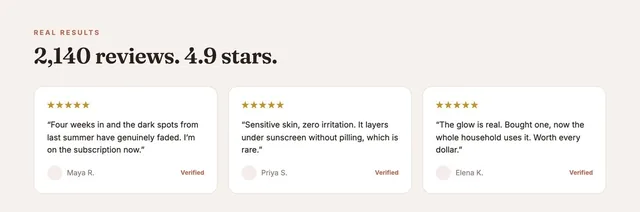
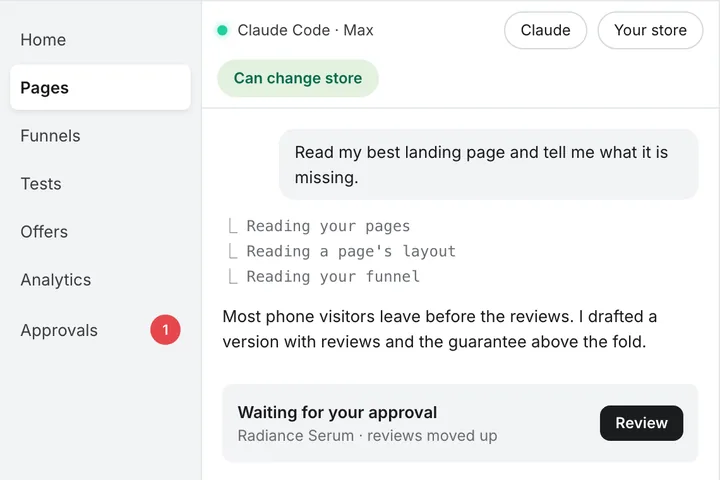
How to go headless on Shopify without developers (2026)

Updated October 2026: new four steps, storefront add-on prices and Hydrogen 2026-10.
Quick answer
- Headless means your storefront runs apart from Shopify's commerce engine. Shopify still runs checkout.
- Without developers, you have two real options: a no-code headless layer, or a fast Liquid theme.
- With developers, the new Hydrogen adds Shopify commerce to any JavaScript app.
- Budget: a custom headless build starts around $10K. A no-code layer is a monthly plan.
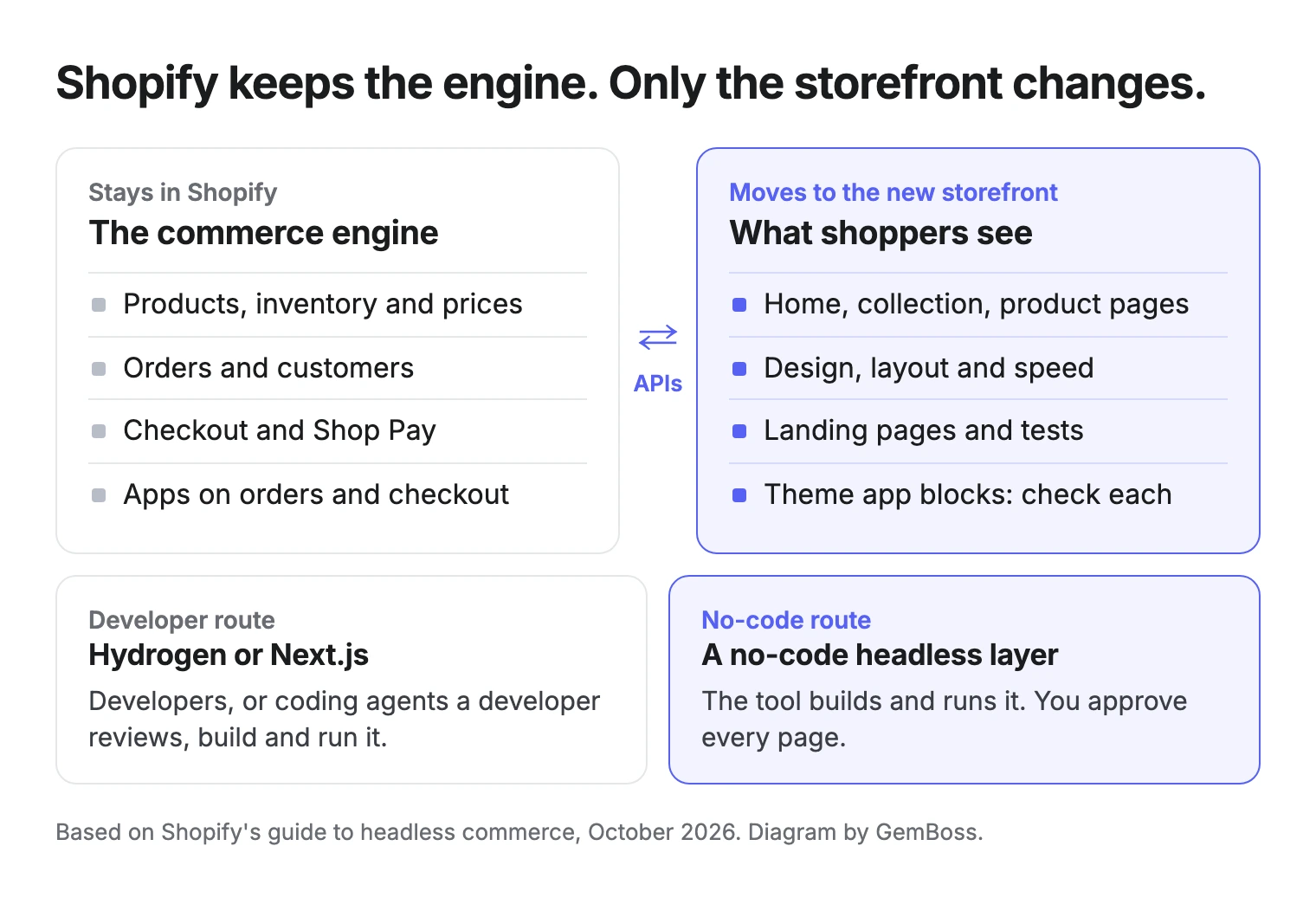
Here is what moves and what stays.
Can you go headless on Shopify without developers?
Yes. Headless only changes who serves the pages your shoppers see. In Shopify's guide to headless commerce, the front end is separated from the back end, and Shopify keeps running the catalog, inventory, pricing, orders and the checkout.
The same guide is clear about the cost of that freedom. The parts a brand takes over "come with development and maintenance responsibilities". Someone has to build the front end, connect it to Shopify's APIs, host it and keep it working.
A no-code layer takes that job off your team.
Do you need Liquid or React?
Not for the no-code route. For the developer route, you need JavaScript skills, not Liquid. Shopify's headless overview points teams to a JavaScript framework such as Next.js or React Router, talking to Shopify through the Storefront API. In a Shopify Community thread on this question, the one answer, backed by Shopify support, said deep Liquid knowledge is not needed for headless work.
Liquid is for themes; headless storefronts are JavaScript apps.
What stays in Shopify when you go headless?
Your commerce engine does not move: products, inventory, prices, orders, checkout and customer data stay in Shopify. That matters most at checkout. Shopify says its checkout with Shop Pay converts up to 50% higher than guest checkout, on its homepage, and a headless route that keeps Shopify checkout keeps that.
Apps need a check.
Shopify's guide asks you to verify how subscriptions, reviews, loyalty programs and analytics will work before you commit. Apps that work on orders, checkout or the back office stay with Shopify. Apps that add blocks to your Liquid theme may need a replacement on the new storefront.
The split below shows which apps usually keep working.
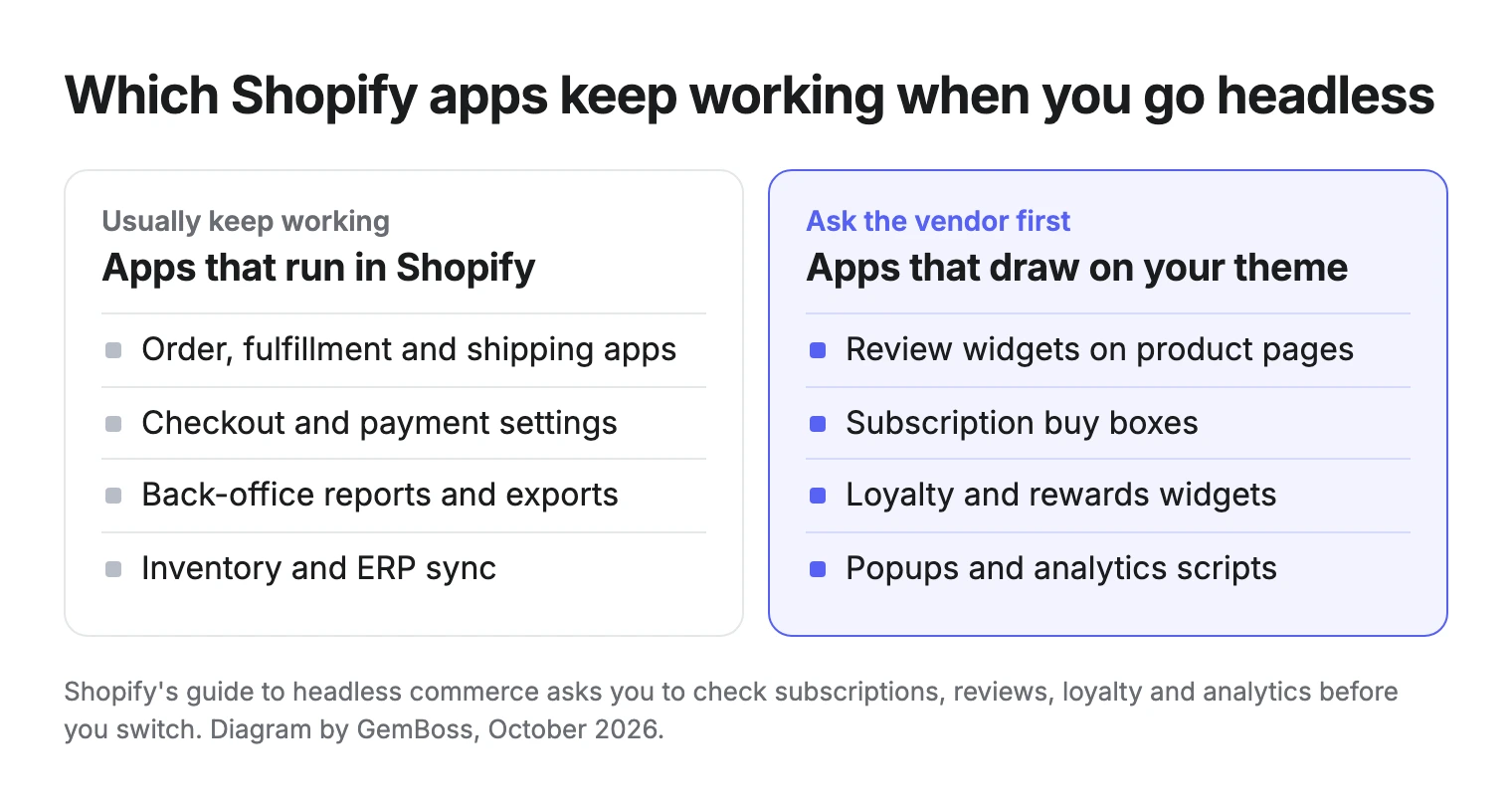
Ask each app vendor one question: does this work on a headless storefront?
Four ways to go headless, and which ones need a developer
| Route | Needs a developer? | What stays in Shopify | Typical cost |
|---|---|---|---|
| New Hydrogen in your own app | Yes, or a coding agent someone reviews | Catalog, checkout, orders | Build from $10K, plus your Shopify plan |
| Next.js with a visual editor such as Builder.io | Yes, to set up and maintain the code | Catalog, checkout, orders | Build, plus the editor's plan |
| No-code headless layer, such as GemBoss | No | Catalog, checkout, orders | Monthly plan |
| Page builder app in your Liquid theme (not headless) | No | Everything | App plan, some with a free tier |
On all three headless routes, apps that work on orders, checkout or the back office keep working, and theme blocks need a check. The last row is not headless. It is in the table because it often solves the same problem: a page builder such as GemPages (our sister product, with a free plan) edits pages inside your theme, with no new storefront to run.
Build costs come from Your Next Store's comparison of Hydrogen alternatives, which cites Weaverse's 2026 pricing breakdown.
Two of the four routes need a developer, and that is the whole decision.
What the developer route looks like in practice
A headless build usually means several tools. One builder, who runs their own brands and client builds, listed theirs on X: Shopify for checkout and catalog, a Next.js storefront, Tailwind, Sanity as the CMS, Sentry, Vercel and Claude Code.
We build almost every Shopify store headless now - our own brands and client builds. Our ecom headless stack: - Shopify for checkout, subscriptions, catalog…andrew jennings (@andrew_jennings) · View on X
Each of those tools needs an owner. Coding agents can make the build faster, but a person still reviews the code and keeps the stack running.
Can a coding agent replace the developer?
Not yet, and Shopify does not claim it does. Since Hydrogen 2026-10 shipped on October 14, 2026, the package includes 20 skills for coding agents. Ask an agent to "Set up my store with Shopify" and, per Shopify, it builds the home, collection, search, product, cart and account pages, adds analytics and smoke-tests the result.
That lowers the cost of the developer route. It does not remove the developer: someone still has to run the agent, read what it wrote, deploy it and fix it when an app or an API changes.
An agent can write the code, but someone still has to own it.
How to go headless without developers in 4 steps
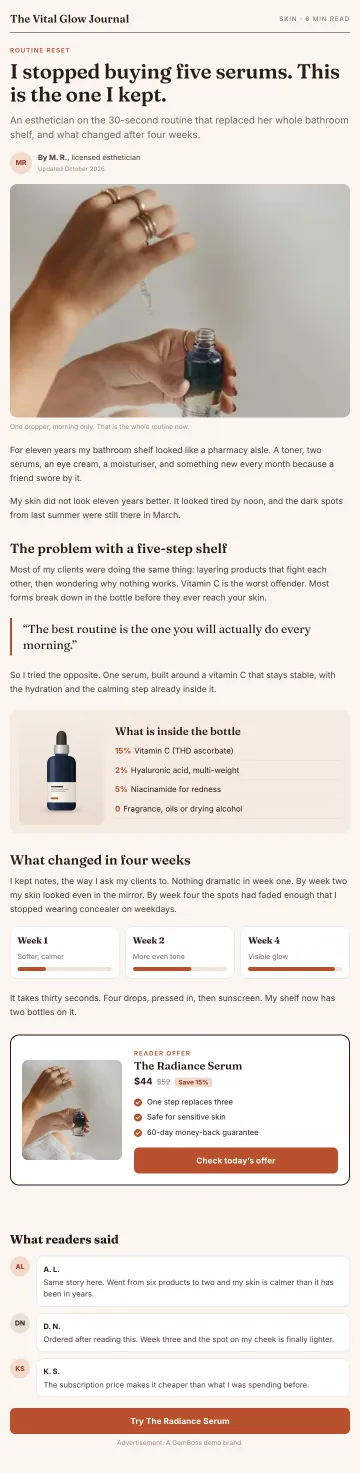
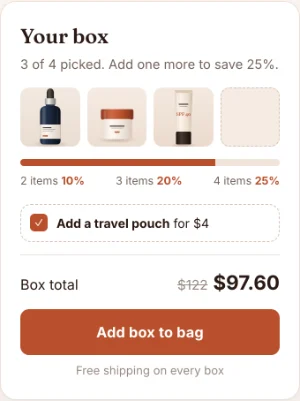
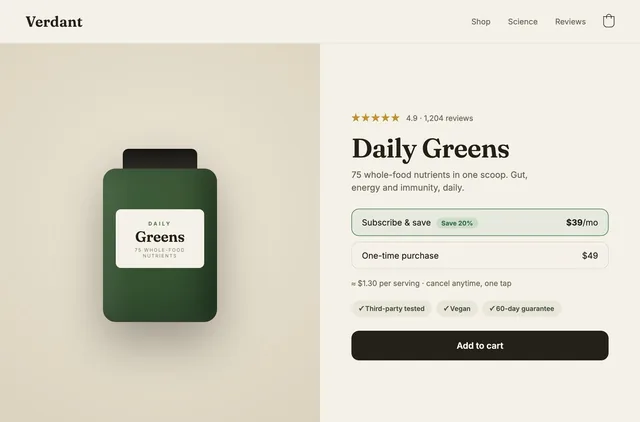
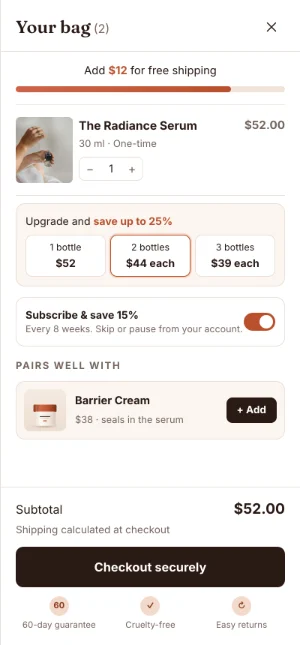
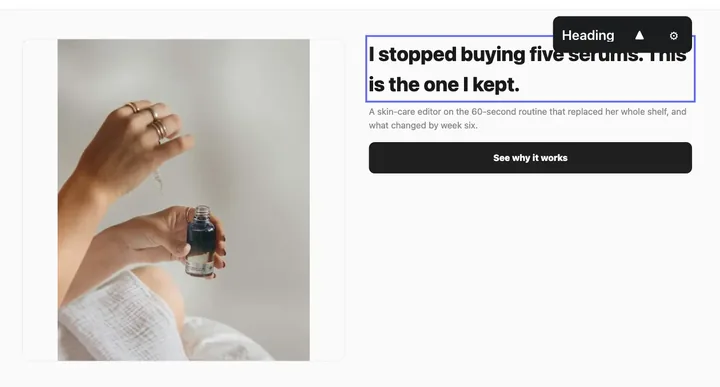
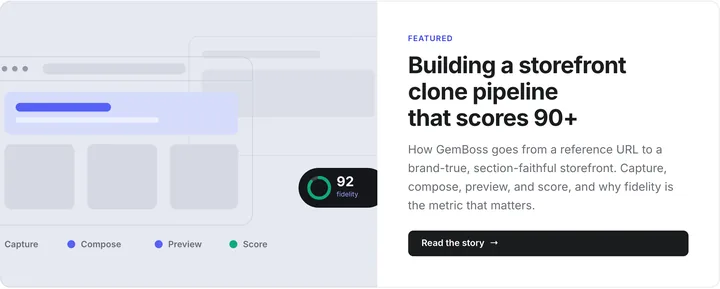
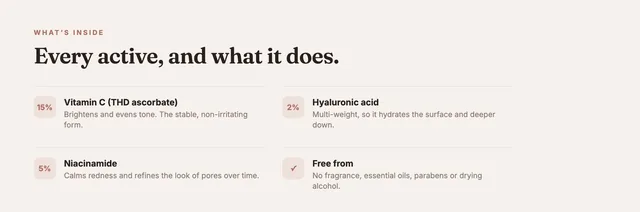
GemBoss, which publishes this blog, works this way, and the AI store builder page shows the same four steps. The screens below come from Vital Glow, a demo brand.
- Describe your brand, or point at a store you like. A paragraph about your shoppers is enough to start.
- Connect your Shopify. Catalog, checkout, orders and apps stay put. There is no migration, and the pages use your real products.
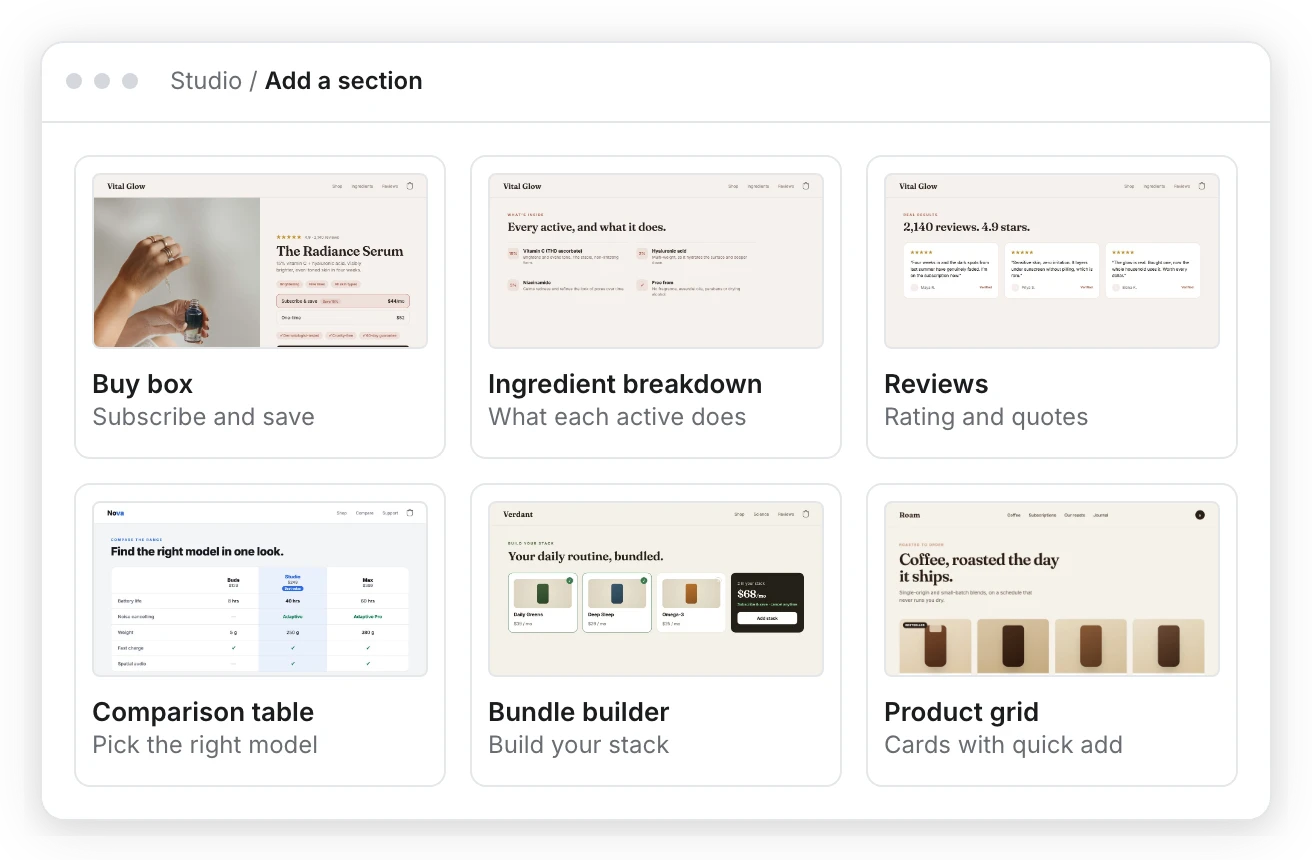
- Let it compose the pages. Home, collection, product and landing pages, built from 60 section types.
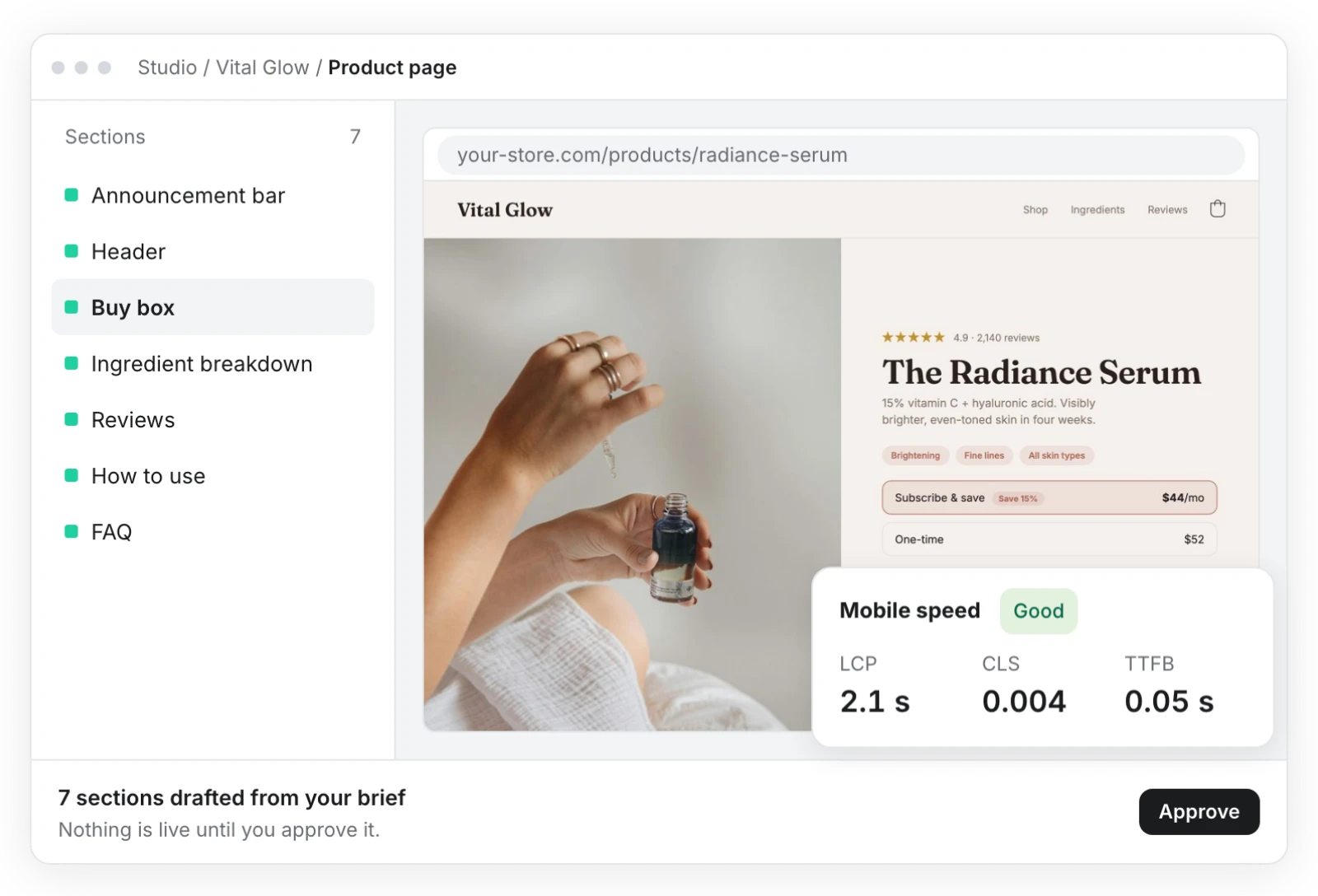
- Approve each page. Every page and change is staged for you. Nothing goes live until you say yes.
In step 3, each page is assembled from ready sections.
In step 4, the drafted page waits for you.
Building and previewing costs $0 before you pick a plan. So the cheapest first step is a preview of one product page, opened on your phone next to your current one.
Judge the preview on your own products.
What you still decide
A no-code layer removes the coding. The judgment stays with you, and the pages sell only as well as the choices behind them:
- Your offer: the bundle, discount or gift that makes the first order worth it.
- Your proof: reviews, ingredient facts, guarantees, the reasons a stranger should trust you.
- Your photos: the best product shots you have, in place of placeholders.
Give this review real time on your first product page; no tool can do it for you.
Check speed before you switch
Headless should be faster, so measure it. Google's Core Web Vitals guidance counts a page as passing when, at the 75th percentile of page loads, LCP is within 2.5 seconds, INP is 200 milliseconds or less and CLS is 0.1 or less. Run your current product page through PageSpeed Insights and note the three numbers.
Then compare. GemBoss reports LCP 2.1 s and CLS 0.004 on a live store (mobile, simulated 4G, median of 8 Lighthouse runs, October 10, 2026). These are lab numbers, so compare them with your page's lab result. Our guide to headless commerce and Core Web Vitals explains why these numbers move revenue.
If your page is already fast, speed is a weak reason to switch.
How to read a PageSpeed Insights report
Google's PageSpeed Insights documentation explains that field data comes from real Chrome users over the previous 28 days, while lab data is one simulated load on a single device. Field data is the truer picture; lab data helps you find the cause.
Judge on field data whenever your page has it.
Is the storefront ready for shopping agents?
Some shoppers now arrive through an AI assistant, and both routes can prepare for that. Shopify says Hydrogen storefronts let an agent search the catalog and update the cart in browsers that support WebMCP, a draft proposal from a W3C community group that lets web pages offer tools to AI agents. Shopify Checkout can then submit the order after the buyer confirms.
GemBoss says its storefronts publish tools that let an assistant search, fill a cart and start checkout.
Here is what that looks like for a shopper.
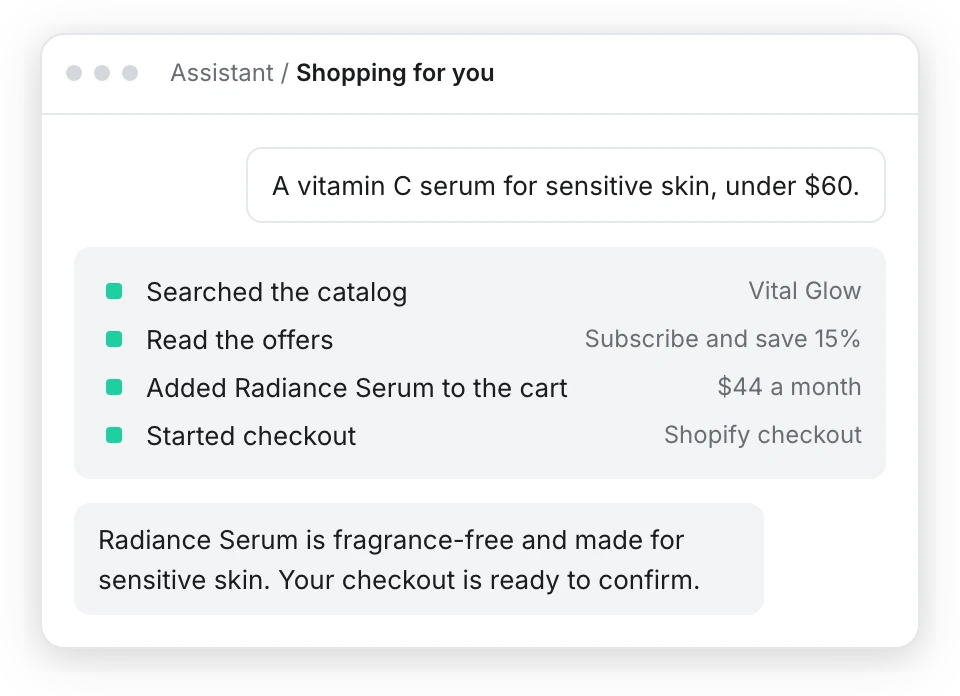
Either way, the buyer still confirms the order in Shopify's checkout.
How much does headless Shopify cost without developers?
The two routes have different kinds of cost. The developer route is mostly a one-time build plus upkeep. The no-code route is a monthly plan.
| Developer route | No-code route (GemBoss) | |
|---|---|---|
| One-time build | $10K to $25K lean; $25K to $60K growth; $60K to $150K+ B2B or multi-market | None; building and previewing is $0 |
| Monthly software | Shopify plan, from $29 (Basic, yearly) to $2,300+ (Plus) | Growth $149 or Scale $399, plus the storefront add-on |
| Storefront add-on | Your own hosting, or Oxygen (free) | $99 for 100,000 sessions; $299 for 500,000 |
| Upkeep | Developer time | Run by the tool |
Build ranges and Shopify plan prices are from Your Next Store, citing Weaverse for the builds. GemBoss prices are from gemboss.ai/pricing, October 2026. The storefront add-on is not on the $49 Starter plan, and each self-serve plan has a 14-day free trial.
For the full numbers on both sides, read how much headless Shopify costs.
Is headless Shopify worth it?
Not every store should. Ben Paine, a developer and designer, put the doubt plainly on X: "Im not sure headless shopify is the way to go anymore." Shopify's own guide agrees in part. It says to keep a themed storefront when your theme and apps already meet your needs, or when your speed problems come from images, apps or theme code you can fix.
Run your store through these three questions.
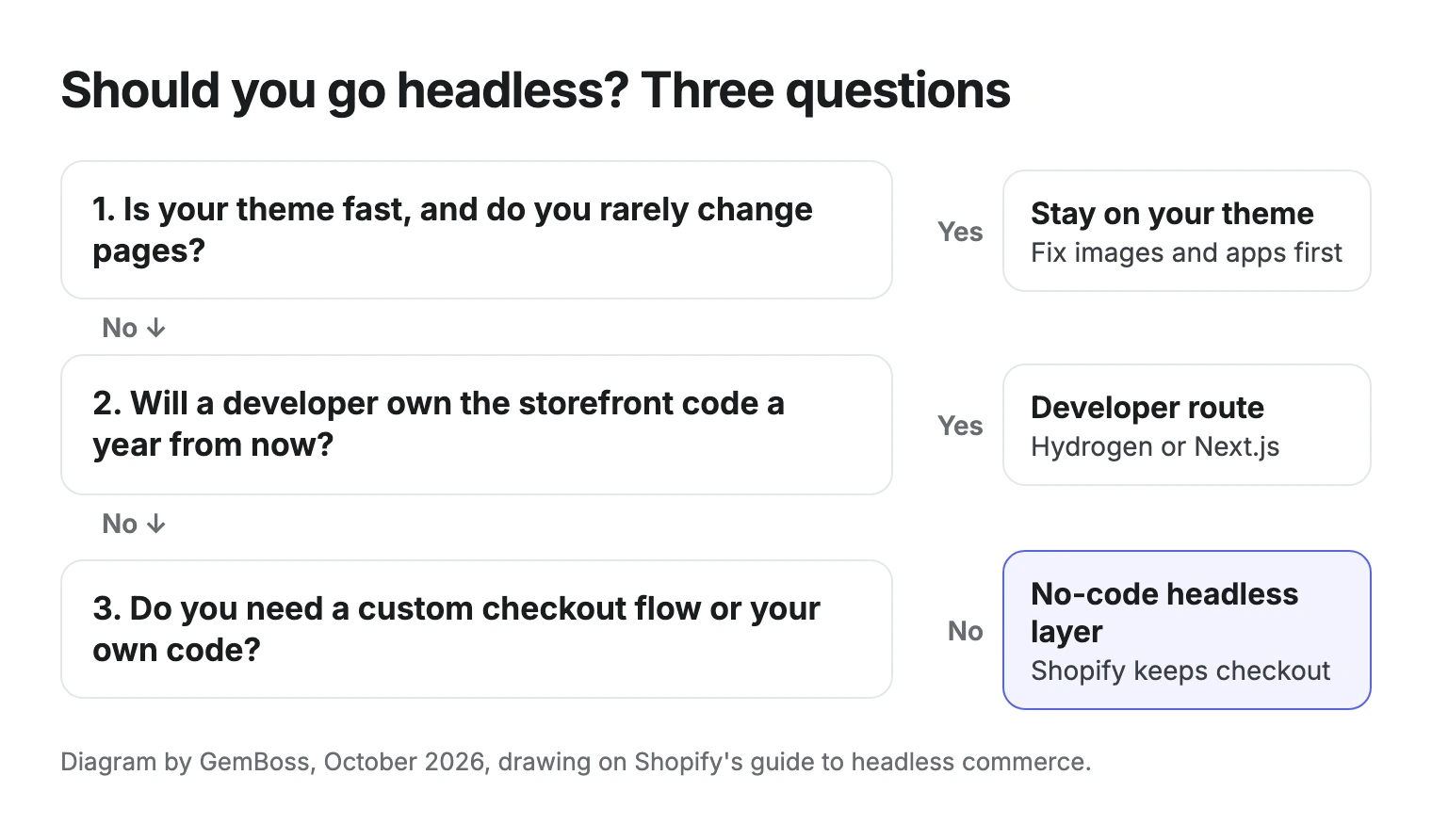
Headless earns its cost when your theme cannot deliver the pages you need, or when you want to change and test pages often. Shopify's guide cites Nour Hammour, which rebuilt on Hydrogen and reported a 63% year-over-year increase in conversion rate a month after launch. That is one brand on a developer build, so read it as a possibility. Headless Shopify vs Liquid themes walks through the trade.
If your theme is fast and you rarely change pages, stay on the theme.
Questions to ask an agency before you go headless
If you do hire, ask these five questions first:
- Who owns the code and the hosting after launch, and what happens if you part ways?
- Which of your apps will they rebuild, and which will you replace?
- How will your team edit pages without filing a ticket?
- What does upkeep cost each month, once the build is paid?
- How will they measure speed: field data at the 75th percentile, or one lab run?
An agency that answers these plainly is worth a second call.
What other guides to going headless leave out
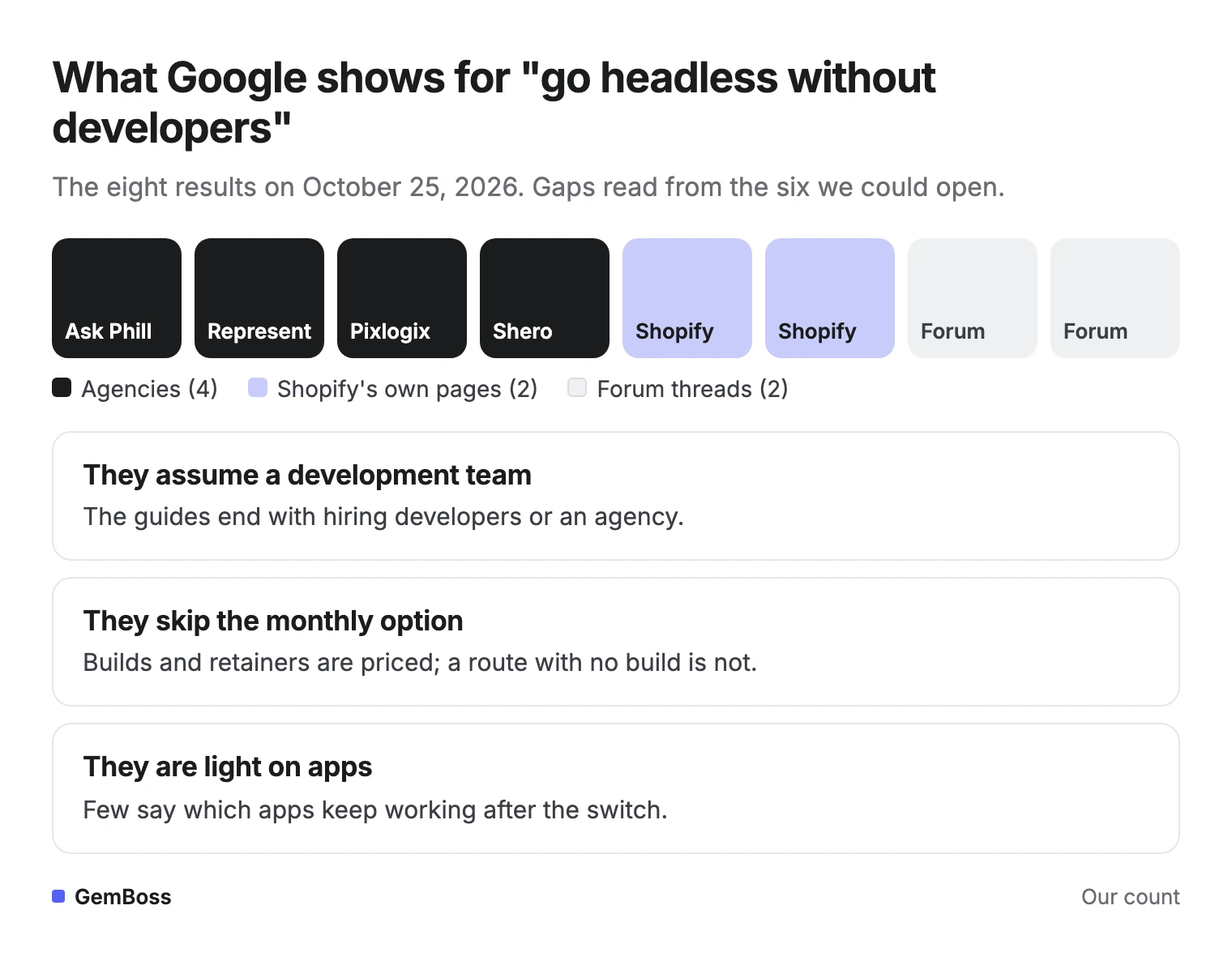
We looked at the eight Google results for this question on October 25, 2026. Four are agencies (Ask Phill, Represent, Pixlogix, Shero), two are Shopify's own pages, and two are forum threads. We could not read Shero's page or one forum thread, so the gaps below come from the other six:
- They assume a development team. Shopify's guide lists "your budget covers ongoing development, testing, and maintenance" as a reason to go headless, and the agency guides end with hiring an agency.
- They skip the monthly option. They price builds and retainers, but not a route with no build at all.
- They are light on apps. Most skip which apps keep working; Ask Phill is the exception, and even it tells non-technical teams to stay on a theme. Shopify itself tells you to check subscriptions, reviews, loyalty and analytics first.
Here are the eight results, by who wrote them.
When do you still need a developer?
A no-code layer covers most selling pages; you still need developers when:
- You need an unusual checkout flow or deep custom logic.
- You want custom interfaces for apps, kiosks or other sales channels, which Shopify's guide lists as a reason for a custom build.
- You want to own the storefront code itself.
In those cases, the new Hydrogen is the place to start. Our guide to Shopify Hydrogen alternatives compares the options after the October 2026 change.
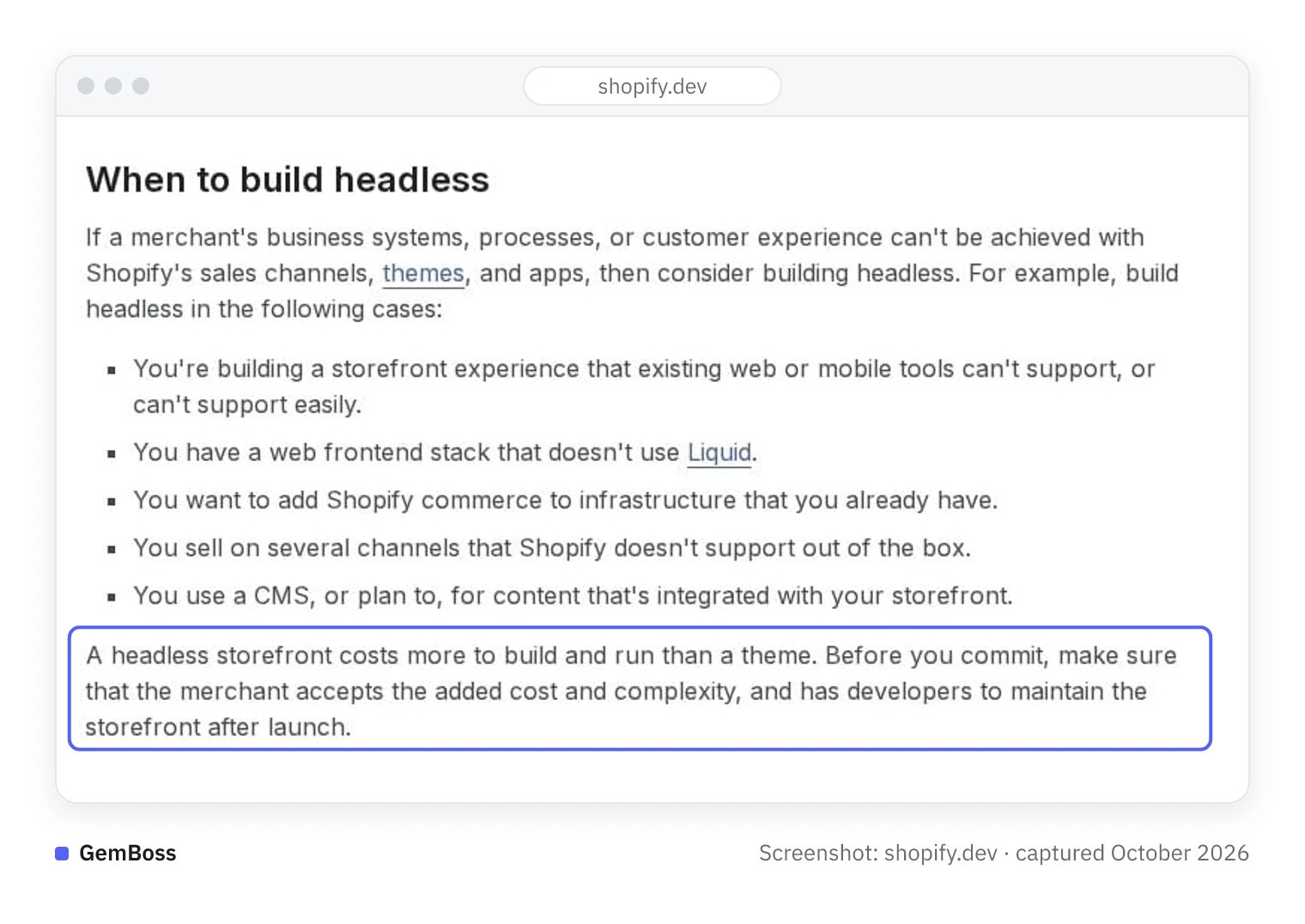
Shopify's developer docs set a similar bar, then warn about the cost and the developers a headless build needs after launch.
What changes for your team after launch?
The biggest change is who makes page changes. On the developer route, a new section or layout is a code change: someone edits it, reviews it and deploys it. Text and images can sit in a headless CMS, if the build includes one. Coding agents shorten that loop, but the review stays. On a no-code layer, the tool drafts the change and you approve it, as you did at launch.
The two loops side by side:
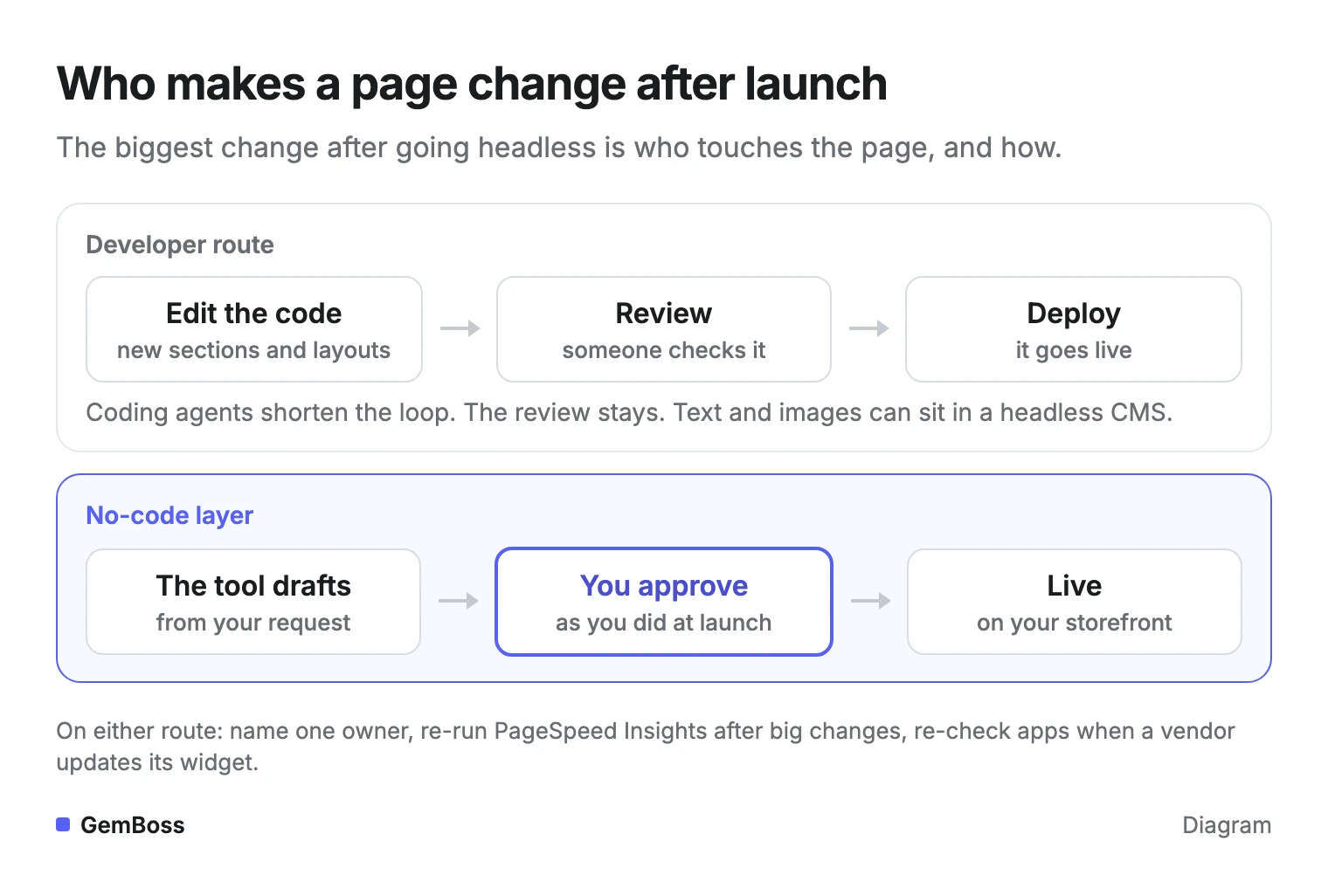
Three habits help on either route:
- Name one owner for the storefront, with a backup.
- Re-run PageSpeed Insights on your top product page after every larger change.
- Re-check your apps when a vendor updates its storefront widget.
Decide who presses publish before you launch.
What to do this week
- Write down who will own your storefront a year from now. If nobody can, rule out the developer routes.
- List your apps and ask each vendor whether it works on a headless storefront.
- Build a preview of one product page with a no-code layer and compare it with your current page on your phone.
Frequently asked questions
Can I use Shopify for headless commerce?
Yes. Shopify supports headless storefronts as well as themes. You build or add a separate storefront that talks to Shopify through its APIs, with tools such as Hydrogen, and Shopify keeps running core commerce, including checkout. Without developers, a no-code headless layer builds that storefront for you.
Do I need to know Liquid to go headless?
No. Liquid is the template language of Shopify themes. Headless storefronts are usually JavaScript apps, built with React, Hydrogen or Next.js and Shopify's Storefront API. On a no-code layer, you need neither: you describe the brand and approve pages.
Can I still use my Shopify apps?
Apps that work on orders, checkout or the back office stay with Shopify, so they keep their data. Apps that add blocks to your Liquid theme, such as some review or popup widgets, may need a replacement on the new storefront. Check subscriptions, reviews, loyalty and analytics with each vendor before you switch.
Does a headless store use Shopify checkout?
It can. With Hydrogen or a no-code layer, shoppers browse your new storefront and pay through Shopify's checkout, including Shop Pay. Only routes that leave Shopify's backend replace the checkout, which also means migrating products, customers and orders.
What is headless commerce?
Headless commerce separates the storefront shoppers see from the commerce engine behind it. The two talk through APIs. On Shopify, the engine keeps products, inventory, prices, orders and checkout. The storefront can be custom code, a framework like Hydrogen, or a no-code layer that builds it for you.
Sources
- Shopify, Headless commerce guide and headless overview, read October 25, 2026.
- Shopify developer changelog, Hydrogen 2026-10 is now available, October 14, 2026.
- Your Next Store, Shopify Hydrogen alternatives, citing Weaverse's 2026 pricing breakdown.
- Google, Web Vitals, web.dev.
- Web Machine Learning Community Group, WebMCP, draft report, October 20, 2026.
- Shopify Community, Do we need in-depth Liquid knowledge?, May 2024.
- GemBoss, pricing and AI store builder pages, October 2026. Screens in this guide come from demo brands on gemboss.ai and use illustrative data.
- Screenshot of Shopify's developer docs, captured October 2026
See a store built on your brand
Bring a store you admire or describe your brand. GemBoss captures it, ships a brand-true storefront, and keeps optimizing after launch.
Request a demo →Want this every morning? GemNews puts a Shopify and AI briefing in every new tab, free.